Welcome to Nukepedia v2

Thousands of free tools for Foundry's Nuke family

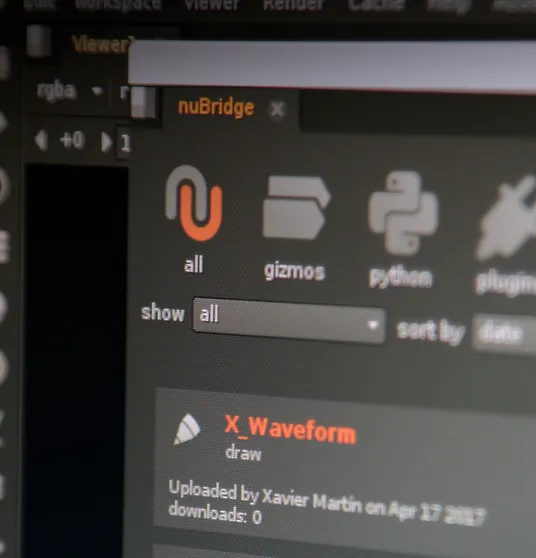
Get access to all the tools on Nukepedia from inside Nuke, with our nuBridge plugin!

Find out more

Latest uploads

LENS EDGE EXTEND v2.0

Contributed by Nitin Kashyap

Extends and distorts the edges of a plate through a lens matte (Alpha or Luma), with optional chromatic separation.

JB_Monitor

Contributed by Juan Bautista Ruano Caro

JB_MONITOR is a customizable medical monitor generator for Foundry Nuke, created for VFX compositing and screen replacement workflows.

er_nailbox

Contributed by Eugene Rachevsky

Connect Tracker data to SplineWarp with automatic pin generation, visual linking, and live reference-frame updates.

Batch Change Read Nodes

Contributed by mi sci

Select all readnodes you want to change and use a shortcut (Alt+R) to adjust values on all of them. - Change Input Transform - Change Start at (for ex. 1001) - and a few other values When you load PBR Material you want to change the color input transform on all of them in one go. This is vibe coded simply because I need that function all the time. Please report any problems here or directly to [email protected]

Matte Centroid to animated XY

Contributed by Heikki Nummi

Tracks the average center of an input matte and stores its position as animated XY values. SETUP 1. Import MatteCentroid.nk into your Nuke script. 2. Connect your matte source to the node's input. 3. Open the Matte Centroid tab. 4. Set First frame and Last frame. 5. Set Reference frame to a frame inside the analysis range that contains a visible matte. 6. Choose Matte channel. 7. Click Analyze centroid. The "Use project range + current reference" button copies the project's frame range and sets the current timeline frame as the reference. CONTROLS AND RESULTS Minimum matte weight: Frames at or below this total matte weight are treated as empty. Leave the default unless faint noise is being detected as a matte. Centroid XY: The matte's weighted center in pixels, measured from the bottom-left of the image. Motion from reference: The centroid's displacement from its position at the reference frame. Both values are zero on the reference frame. Valid matte: 1 when a usable matte was detected; 0 on empty frames and outside the analyzed range. Total matte weight: The sum of matte pixel values after clamping them to 0–1. Analysis status: Displays the analyzed range, reference frame, channel, and number of empty frames.

L_MotionTrail

Contributed by Leo D George

L_MotionTrail is a procedural motion trail gizmo designed for artists who want to create dynamic streaks, glowing energy trails, and motion echo effects directly inside Nuke. Using directional sampling and frame history, it generates customizable trails with adjustable length, direction, fading, color, glow, and animated wave distortion. Key Features 8 Built-in Presets: The Cosmic, Golden Speed, Long Gold Streaks, Gold Ribbons, Ice Blue Energy, Source Colour Ribbons, Motion Echoes, and Hybrid Energy. Customizable Trails: Control length, direction, intensity, fade, and smoothing. Frame History: Create motion echoes using up to 48 frames of temporal sampling. Three Source Modes: Highlights, Full Image, and Blend. Animated Energy Trails: Adjust wave amplitude, cycles, and speed. Color and Glow: Custom RGB tinting with adjustable glow size and intensity. Flexible Output: Switch between trails-only output and the original image with added trails. Artist-Friendly Controls: Create different looks using presets or customize every parameter manually. Ideal for sci-fi energy effects, speed streaks, glowing objects, motion echoes, and stylized compositing. How to Use Connect your footage or rendered element to L_MotionTrail, select a preset, and adjust the trail length and direction. Fine-tune the appearance using the fade, glow, color, and wave controls. Version: 0.1 Created by: Leo D George

EasyChecker

Contributed by Nic

Tech checker using a difference key with various controls of colours to highlight changes from previous versions. Hope this helps.

EasyGrader

Contributed by Nic

Gizmo mapping the gain colour temperature controls to sliders - mainly to grade via shortcuts or a control panel for a nicer grading flow. Also includes gain value and gamma value grade sliders as well as a mix slider for fine adjustment.

Rounded Rectangle Gizmo

Contributed by Heikki Nummi

Tool to create procedural rectangles with rounded corners. Outputs an alpha matte. Adjustable center, size, roundness and feather.

dhRetimeCurve

Contributed by David Hochstadter

Build the shot at original length, then attach any animated node to your retime so it follows every revision.