Browse any .nk or autosave script visually and import only the nodes you need, without importing the whole script. Perfect for recovering work and recycling setups between shots.
Nodes Import
First submitted: 20 March 2026
Updated: 30 March 2026
Author: Joaquin Cuervo
Website: https://www.linkedin.com/in/joaquincuervo/
Compatible Nuke versions: 13.0 or later
Compatibility: Linux, Mac, Windows
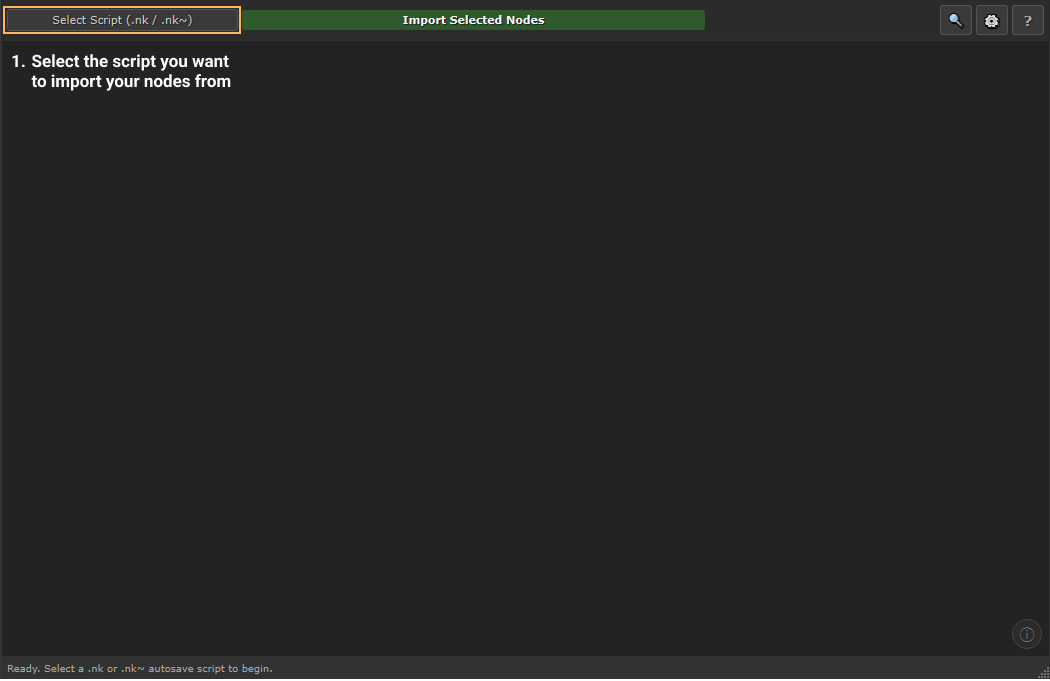
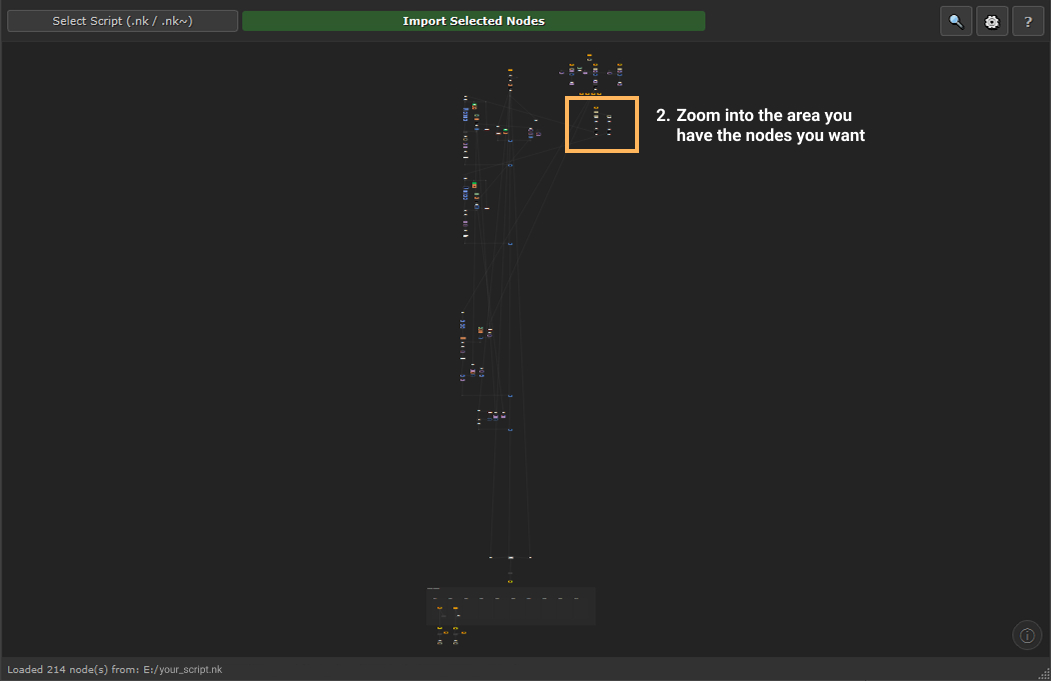
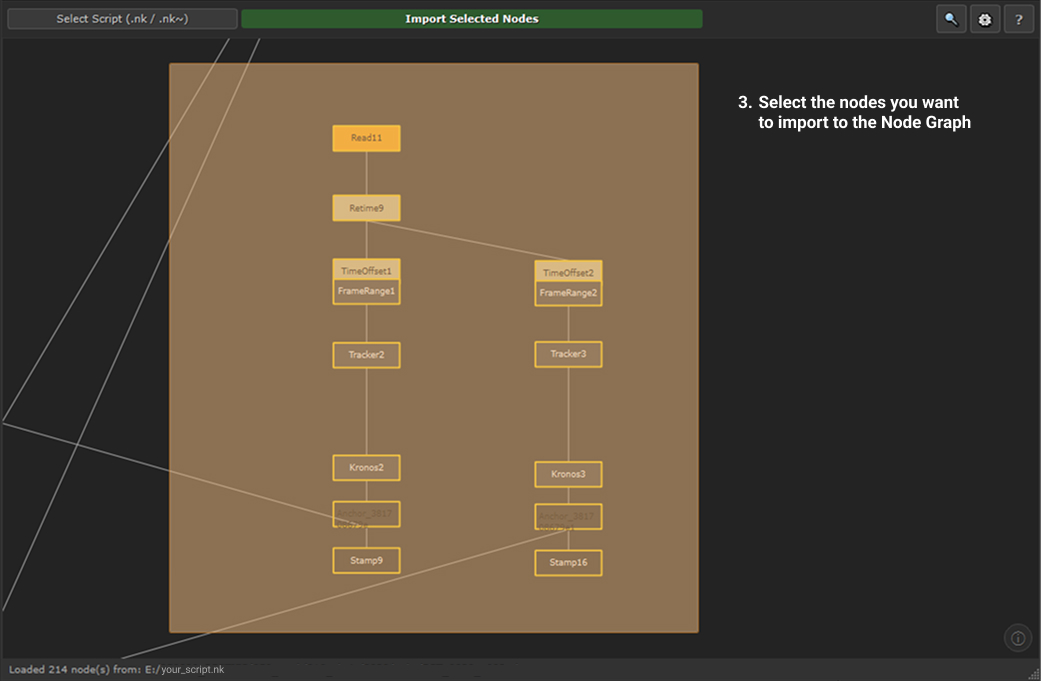
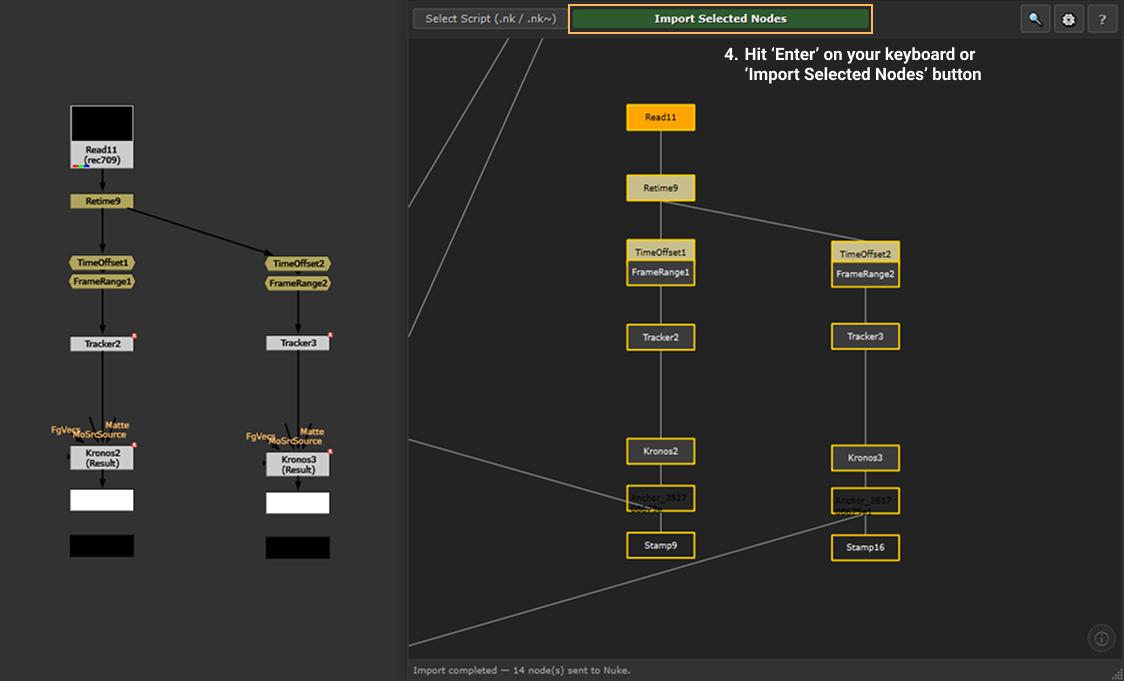
NodesImport is a node import tool for Nuke that lets you visually browse the full node graph of any .nk script in a separate floating window, select exactly the nodes you need, and import them directly into your node graph (without importing the full script).
The core problem it solves:
You're working on a shot and need a DMP, a 3D projection, or a CG color correction setup from a previous version of the script, or from a sibling shot in the sequence. Using 'File > Insert Comp Nodes' dumps everything into your node graph, taking a longer time to load and making the script more confusing. NodesImport lets you browse, pick, and import only the nodes that you need.
Crash recovery:
If Nuke is crashing on a heavy autosaved script before you can even see your nodes, open your last stable script, point NodesImport choosing the .nk~ autosaved script, and import only the nodes you were working on. No text editor, no guesswork.
Search box:
Hit Ctrl+F to search across node names, node types, label text, backdrop text and sticky note content. Results are ranked by relevance and you can step through them with arrow buttons (mimics '/' nuke shortcut).
Node Graph Viewer:
The graph renders colour-coded nodes using Nuke's default palette, with wires landing at their input slots, backdrops with their labels and fill colours, and Dot nodes as circles. So you can see the full node tree before importing anything.
Autosave support:.nk~ autosave files are parsed and displayed identically to regular scripts.
Keyboard shortcuts:
Shift+I to open the tool, Enter to import the current selection, Ctrl+F to search, F to zoom to selection.
Third-party node support:
NodesImport parses and imports any node that appears in a .nk file. OFX plugins, studio gizmos, and third-party tools including Stamps are all handled correctly with their connections intact.
Navigation and selection:
Navigation and selection are identical to Nuke's native Node Graph. There is no learning curve. The tool is also optimized for Wacom pen navigation.
Persistent settings:
The window remembers its size and position between sessions. An optional setting closes the window automatically after each import.
Compatibility:
Works with Nuke 13, 14, 15 (PySide2) and Nuke 16 (PySide6). No additional dependencies. Fully compatible with Windows, macOS and Linux.
Installation
Download or clone this repository and place the
NodesImportfolder inside your Nuke plugins directory:
~/.nuke/NodesImport/
Add this line to your init.py file:
nuke.pluginAddPath("./NodesImport")
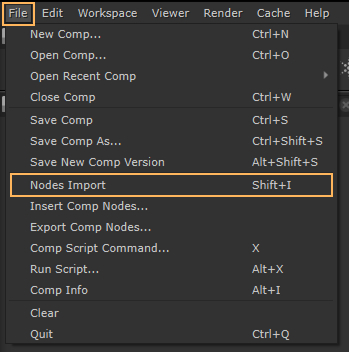
Restart Nuke. The Nodes Import entry will appear in Nuke's File menu, just above Insert Comp Nodes. You can also open it at any time with Shift+I.
If you're storing the folder somewhere other than
~/.nuke/, add the parent directory to your~/.nuke/menu.py:import sys sys.path.insert(0, "/path/to/the/folder/containing/NodesImport")
Hope you find it useful!
Please leave a comment if you have any cool ideas we could implement to this tool.
or register to download or rate.
Comments