MotionBakery automates the creation of a Transform, Roto or RotoPaint, and CornerPin2D nodes, copying the animated knobs from Tracker node.
Motion Bakery
First submitted: 23 February 2026
Author: Luciano Cequinel
Website: http://www.cequina.com
Compatible Nuke versions: 11.3 or later
Compatibility: Source
MotionBakery is a Nuke script designed to streamline the process of creating useful nodes from a Tracker node.
It automates the creation of Transform, Roto or RotoPaint, and CornerPin2D nodes, copying the animated knobs from Tracker node.
The result is exactly the same as if you create the nodes from Tracker.
The intent here is not only make it faster and easier to create nodes from tracked data, but to create a visual relationship between them.
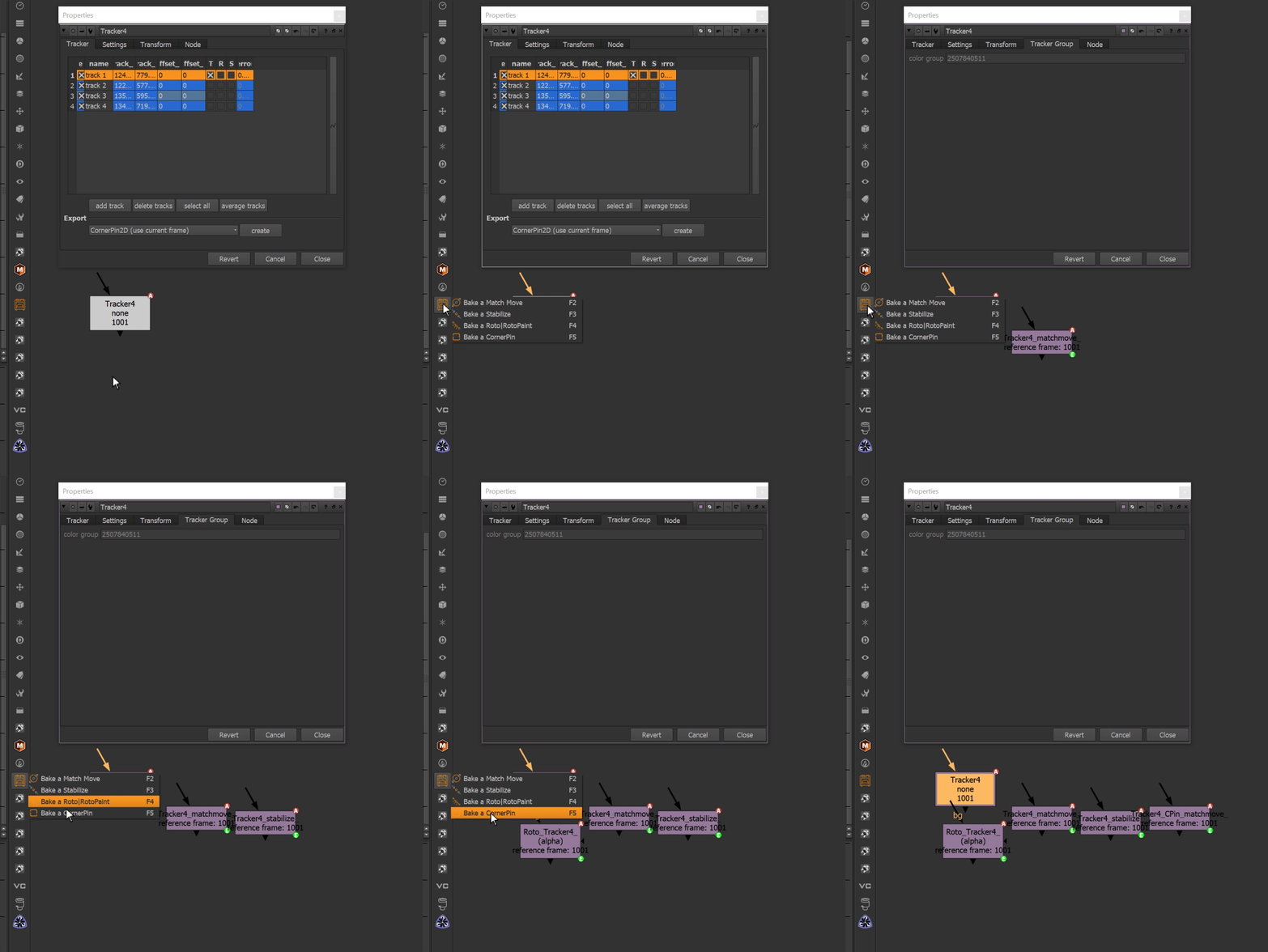
> Features
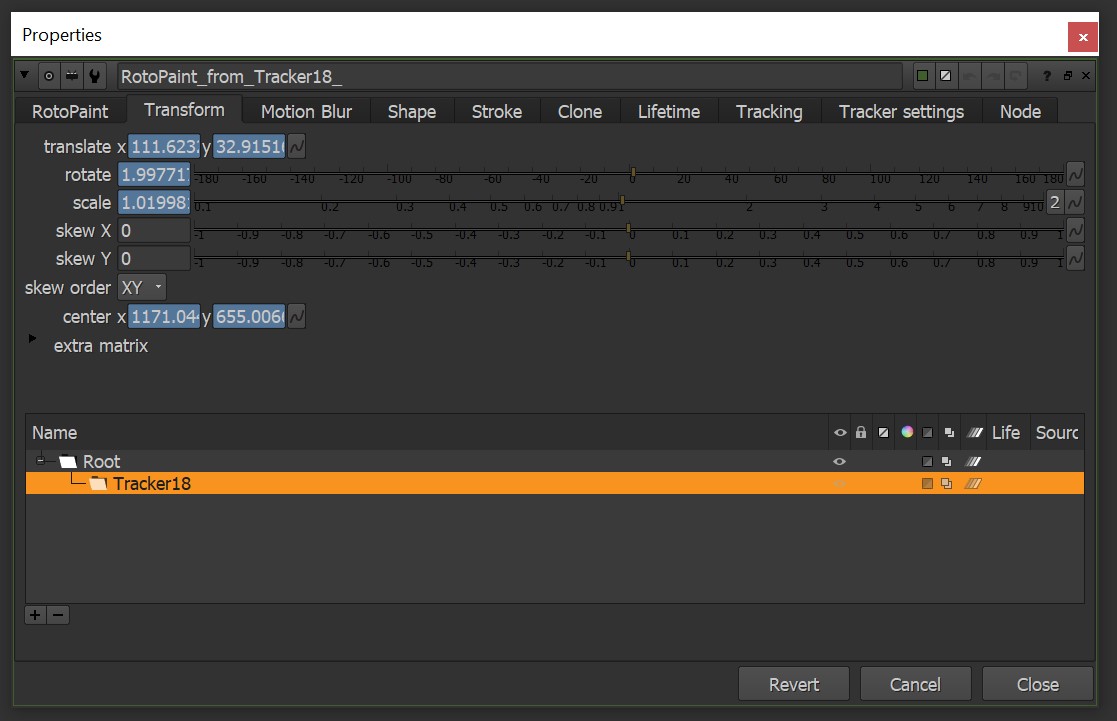
- Node Creation: Creates Transform (match move or stabilize), Roto/RotoPaint, and CornerPin2D nodes from selected Tracker nodes.
- Color Grouping: Applies a random color to the Tracker and the created nodes to make it easy to identify the parenting in the node graph.
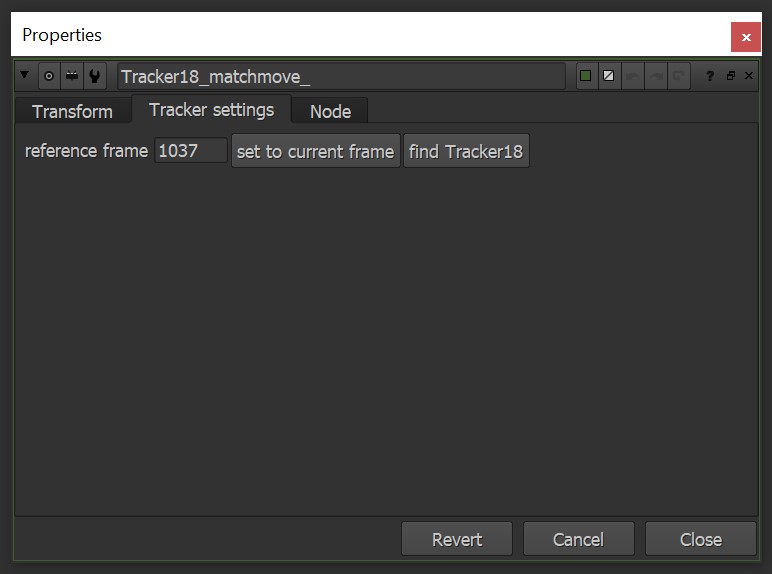
- Find Parent: you can easily go to the parent Tracker.
- Independent nodes: each new node is independent, allowing you to set a reference frame for each one.
- Unselected CornerPin: you don't need to select tracks to create a CornerPin2D node. The tool will select the first 4 tracks if nothing is selected.
> Customization
In MotionBakery_settings.py you can:
- Set Shortcuts: set a shortcut for each operation 🎹
- Roto or RotoPaint: you can choose to create either a Roto or RotoPaint node.
- Check all tracks (T, R, S): it will check all the tracks in the Tracker node.
⚠️ You must restart Nuke after changing the settings. ⚠️
> Installation
1. Download the tool
2. Unzip and rename the folder to MotionBakery
3. Copy the folder to .nuke standard folder
4. Add these line to init.py (`create a new one if it doesn't exist`):
import nukenuke.pluginAddPath('./MotionBakery')
or register to download or rate.
Comments