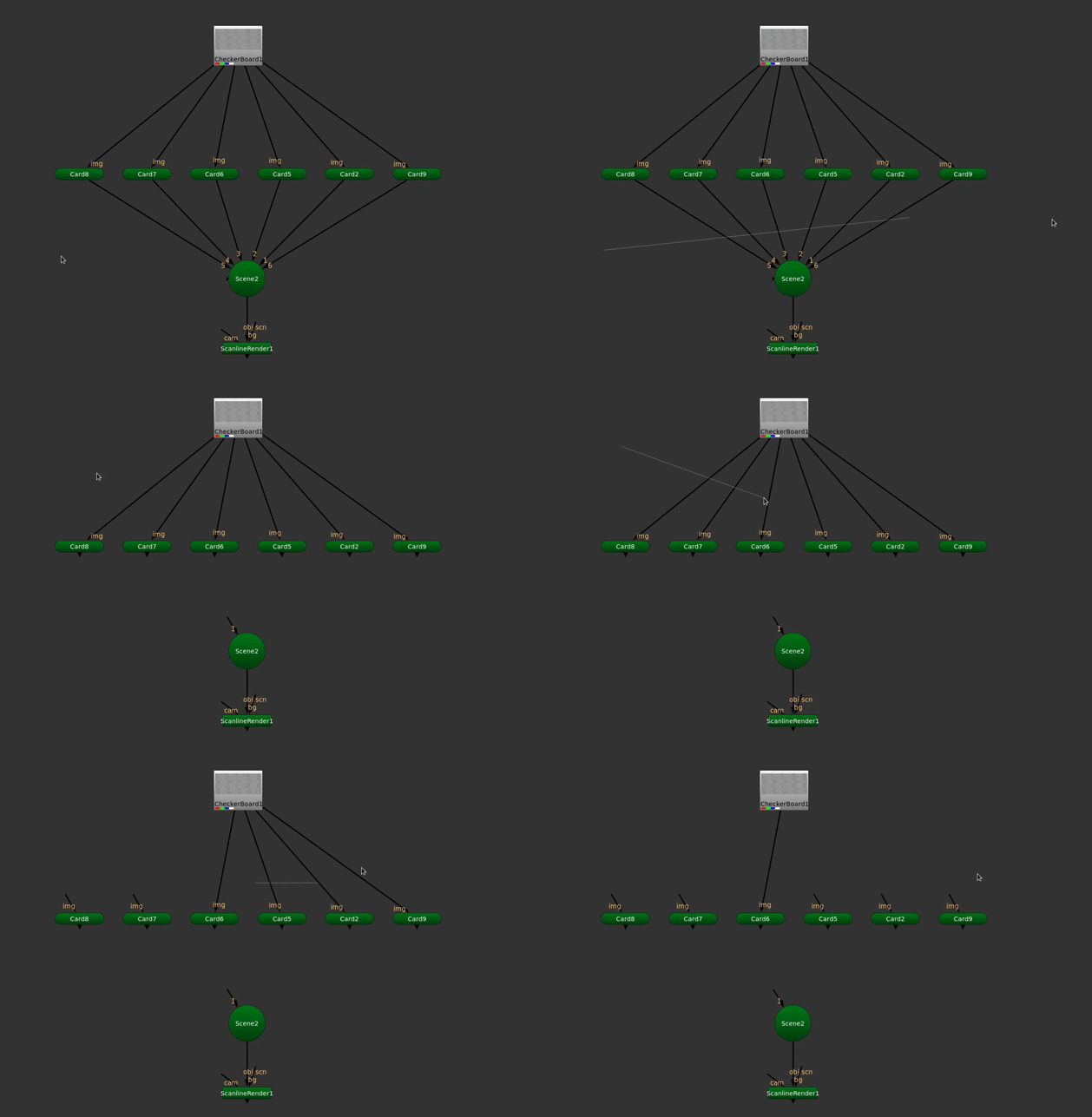
Scissor tool is a simple UI Widget activated by a shortcut. Draws a line and disconnects any intersecting inputs.
Scissor Tool
First submitted: 15 January 2026
Author: Jorrit Schulte
Compatible Nuke versions: 13.0 or later
Compatibility: Linux, Windows
Scissor tool is a simple UI Widget activated by a shortcut. Includes Preferences to change the shortcut (Change requires nuke restart), line color and thickness.

Tested on Windows and Linux. This does not currently work inside opened expanded group views.
To use, wile in the node graph hold down the shortcut key, and move your mouse to draw the scissor line. Release the shortcut key to cut any intersecting inputs.
installation
simply place the ScissorTool.py file in your .nuke folder and then add the following line into your menu.py file:
import ScissorTool
or register to download or rate.
Comments