Draw BackdropNodes by dragging a marquee directly in the Node Graph. Shift+B, click and drag, done. Works on Nuke 11–16+.
Marquee Backdrops
First submitted: 17 March 2026
Author: Marty Blumen
Website: https://www.martyblumen.com/
Compatible Nuke versions: 11.0 or later
Compatibility: Source
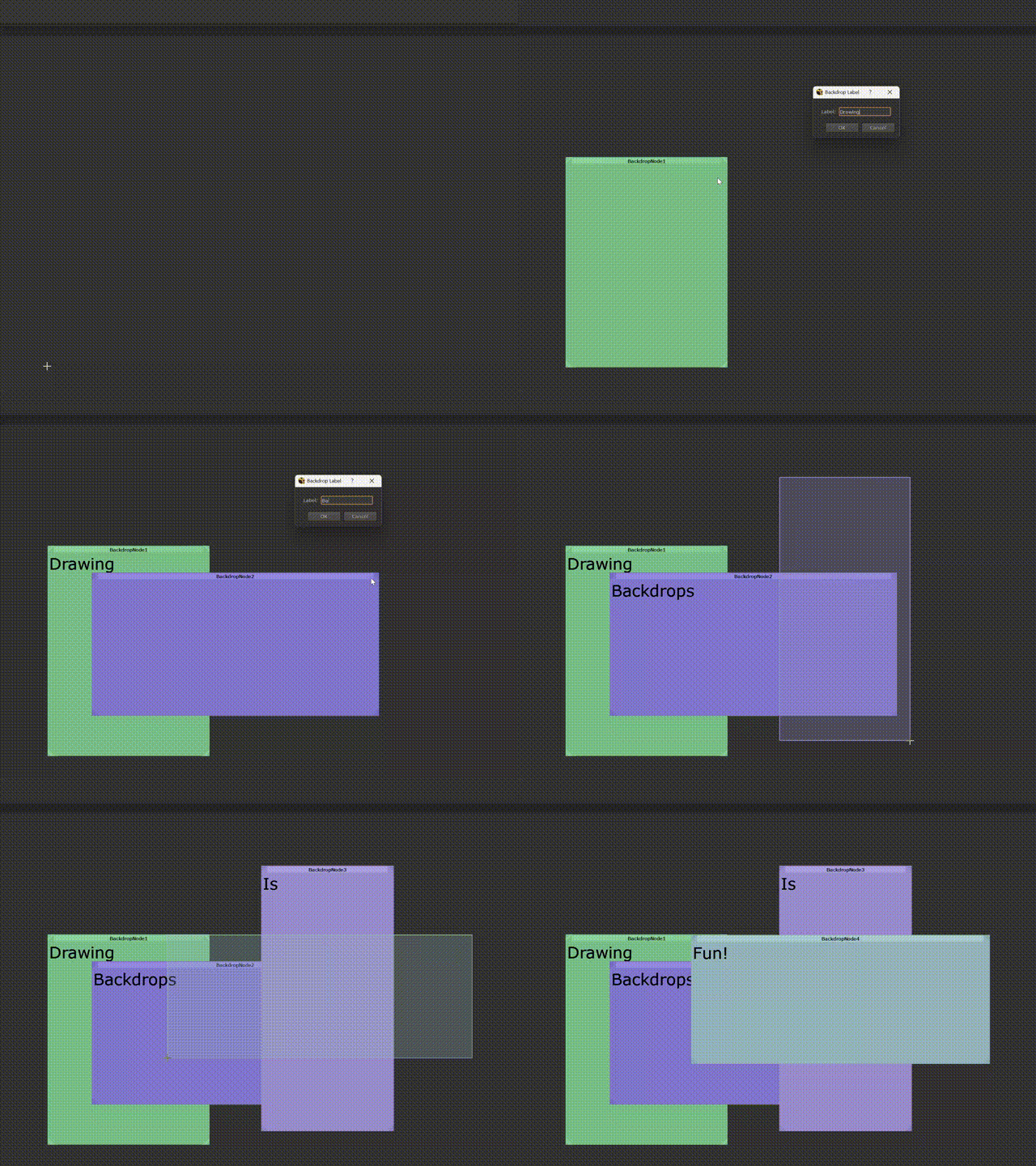
Nuke's built-in backdrop workflow requires you to place a node, then manually resize and reposition it around your network. MarqueeBackdrops replaces that with a draw-first approach: press Shift+B, drag a rectangle where you want the backdrop, and it appears instantly... sized and positioned exactly as drawn.
HOW IT WORKS
Press Shift+B with the Node Graph focused. The cursor switches to a crosshair. Click and drag to draw your backdrop rectangle. On release, a label dialog appears so you can name it straight away. A random pastel colour is assigned automatically so groups are visually distinct without any extra effort.
A toolbar button is also provided to wrap a backdrop around selected nodes with a single click.
FEATURES
• Drag-to-place marquee -draw the backdrop exactly where and how large you want it
• Random pastel colours -auto-assigned, visually distinct, soft on the eyes
• Inline label dialog -name it immediately after drawing
• Wrap-selection shortcut — creates a backdrop fitted around selected nodes
• Nuke 11 through 16+ - PySide2 and PySide6 both supported, auto-detected
• Windows, Linux, macOS compatible
INSTALLATION
1. Copy marquee_backdrop.py to ~/.nuke/
2. Add to ~/.nuke/menu.py:
# menu.py — add these lines to your existing ~/.nuke/menu.py
# ─────────────────────────────────────────────────────────────
# Compatible with Nuke 11–14.x (PySide2) and Nuke 15+ (PySide6)

import marquee_backdrop

# Toolbar button to create a backdrop around selected nodes
toolbar = nuke.toolbar("Nodes")
toolbar.addCommand(
    "Other/Backdrop (Marquee)",
    "marquee_backdrop.create_backdrop_around_selected()",
    "shift+b",
    icon="Backdrop.png",
)
3. Restart Nuke
No extra packages required — only the Qt bindings already bundled with Nuke.
USAGE
Shift+B Arm the marquee tool (cursor becomes crosshair)
Click + drag Draw the backdrop rectangle
Release Backdrop is created; label dialog appears
Escape Cancel at any point
Right-click Cancel at any point
Toolbar button Wrap backdrop around selected nodes
CONFIGURATION
ASK_LABEL = True # toggle the label dialog
RANDOM_COLOUR = True # toggle auto colour
DEBUG = False # print trace lines to the Script Editor
OPENSOURCE
MIT License
Copyright (c) 2026 Marten Blumen
Permission is hereby granted, free of charge, to any person obtaining a copy
of this software and associated documentation files (the "Software"), to deal
in the Software without restriction, including without limitation the rights
to use, copy, modify, merge, publish, distribute, sublicense, and/or sell
copies of the Software, and to permit persons to whom the Software is
furnished to do so, subject to the following conditions:
The above copyright notice and this permission notice shall be included in all
copies or substantial portions of the Software.
THE SOFTWARE IS PROVIDED "AS IS", WITHOUT WARRANTY OF ANY KIND, EXPRESS OR
IMPLIED, INCLUDING BUT NOT LIMITED TO THE WARRANTIES OF MERCHANTABILITY,
FITNESS FOR A PARTICULAR PURPOSE AND NONINFRINGEMENT. IN NO EVENT SHALL THE
AUTHORS OR COPYRIGHT HOLDERS BE LIABLE FOR ANY CLAIM, DAMAGES OR OTHER
LIABILITY, WHETHER IN AN ACTION OF CONTRACT, TORT OR OTHERWISE, ARISING FROM,
OUT OF OR IN CONNECTION WITH THE SOFTWARE OR THE USE OR OTHER DEALINGS IN THE
SOFTWARE.
or register to download or rate.
Comments