PipelineCore_nuke_tools_installer

PipelineCore_nuke_tools_installer

(( The plugin installer you are using is an intermediate-to-advanced-level VFX tool. Here's why: ))

GitHub repo nuke Tools Gizmo & Python Installer

first Install Git on ( Windows macOS & Linux )

Step 2: Download Git Install on working
First submitted: 9 January 2026

Updated: 10 January 2026

Author: Nitin Kashyap

Compatible Nuke versions: 13.0 or later

Compatibility: Linux, Mac, Windows

  1. (( The plugin installer you are using is an intermediate-to-advanced-level VFX tool. Here's why: ))

  2. Installation

    nuke.pluginAddPath(r"./PipelineCore_nuke_installer")

  1. What the installer does (Overview)

  2. Your installer is a pipeline utility that allows artists or TDs to:

    Install Nuke plugins directly from GitHub

    Select Branch or Release (Tag)

    Install plugins into version-specific Nuke folders

    Automatically register plugin paths in init.py

    Open plugin folders in file explorer

    Update the installer from GitHub

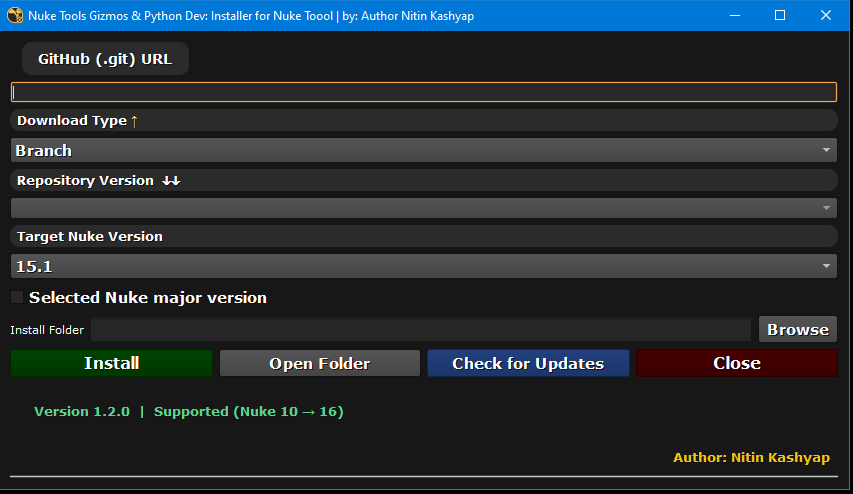
  3. Step 1: Launch installer


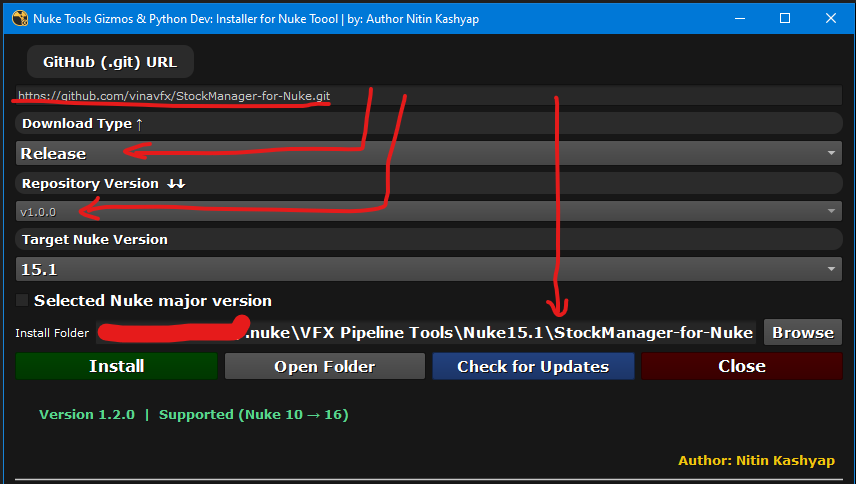
  4. Step Paste GitHub repository URL

    Example:

    https://github.com/username/repository.git
    

    Internal behavior

    • Validates .git URL

    • Enables version fetching

  5. Step Select download type

    User selects:

    • Branchmain, dev, etc.

    • Release → GitHub tags (v1.0, v2.1)

    Code logic

  6. Step Select repository version

    Dropdown is populated with:

    • Branch names or

    • Tag names

    The Install button becomes enabled once:

    • A valid version is selected

    • Install path is valid

  7. 3. Nuke version handling

    The installer reads the running Nuke version:

    nuke.NUKE_VERSION_MAJOR
    nuke.NUKE_VERSION_MINOR
  8. Example:

    Nuke 15.1
  9. Folder structure created automatically

    Plugins are installed per-version to avoid conflicts:

    ~/.nuke/
     └── VFX Pipeline Tools/
         └── Nuke15.1/
             └── PluginName/
    
  10. This allows:

    • Multiple Nuke versions on the same machine

    • Clean pipeline isolation

  11. Default install path logic

    If the user does not override the folder:

    ~/.nuke/VFX Pipeline Tools/Nuke{version}/{repo_name}
  12. Example:

    ~/.nuke/VFX Pipeline Tools/Nuke15.1/Stamps
    
  13. 7. Register plugin path in Nuke

    The installer updates:

    ~/.nuke/init.py
  14. Major-restricted install

    if nuke.NUKE_VERSION_MAJOR == 15:
        nuke.pluginAddPath("path")
    
  15. Global install

    nuke.pluginAddPath("path")
    
  16. This ensures the plugin loads automatically when Nuke starts.

or register to download or rate.

Comments

or register to join the conversation.

Download Verification