Create and manage hidden inputs, with proximity detection, icons, and more!
DotBuddy
First submitted: 27 July 2026
Updated: 31 August 2026
Author: Hiram Gifford
Website: https://www.hiramgifford.com
Compatible Nuke versions: 11.0 or later
Compatibility: Linux, Windows
About
DotBuddy is used to create and manage hidden links throughout your comp. Each link features proximity logic that connects them to the nearest matching source. This allows for truly agnostic template design, without having to worry about managing unique link/node names, or UUIDs. Links can also be locked at any time for a more rigid connection, and have many other fun features described in detail here! https://www.hiramgifford.com/buddy-system/dotbuddy
Feel free to reach out if there are any issues, or if you have ideas to improve it!
Features
Select nodes and use the Comma "," hotkey to create DotBuddySources for your links to connect to
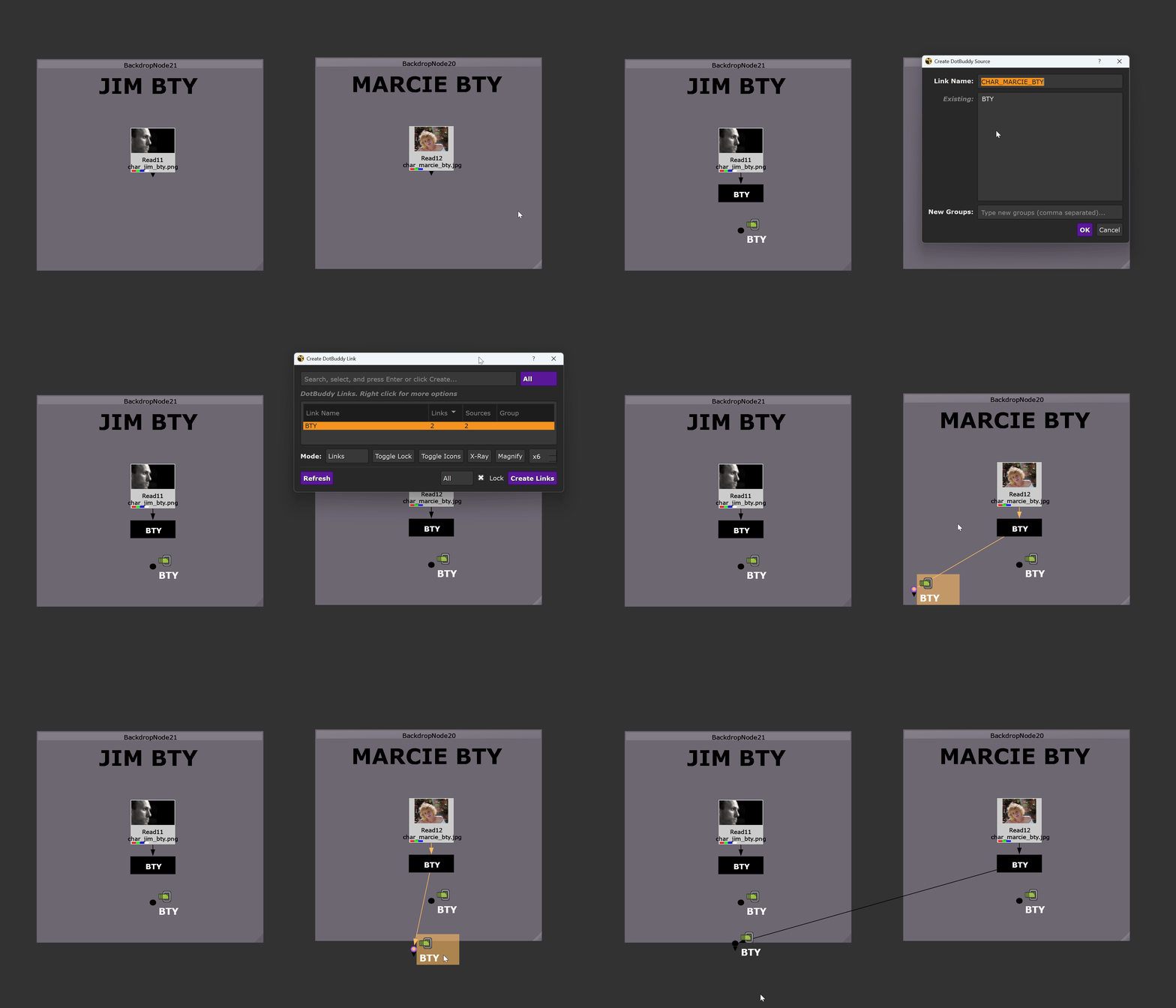
Select nothing and use the Comma "," hotkey to create DotBuddyLInks that connect back to the Source
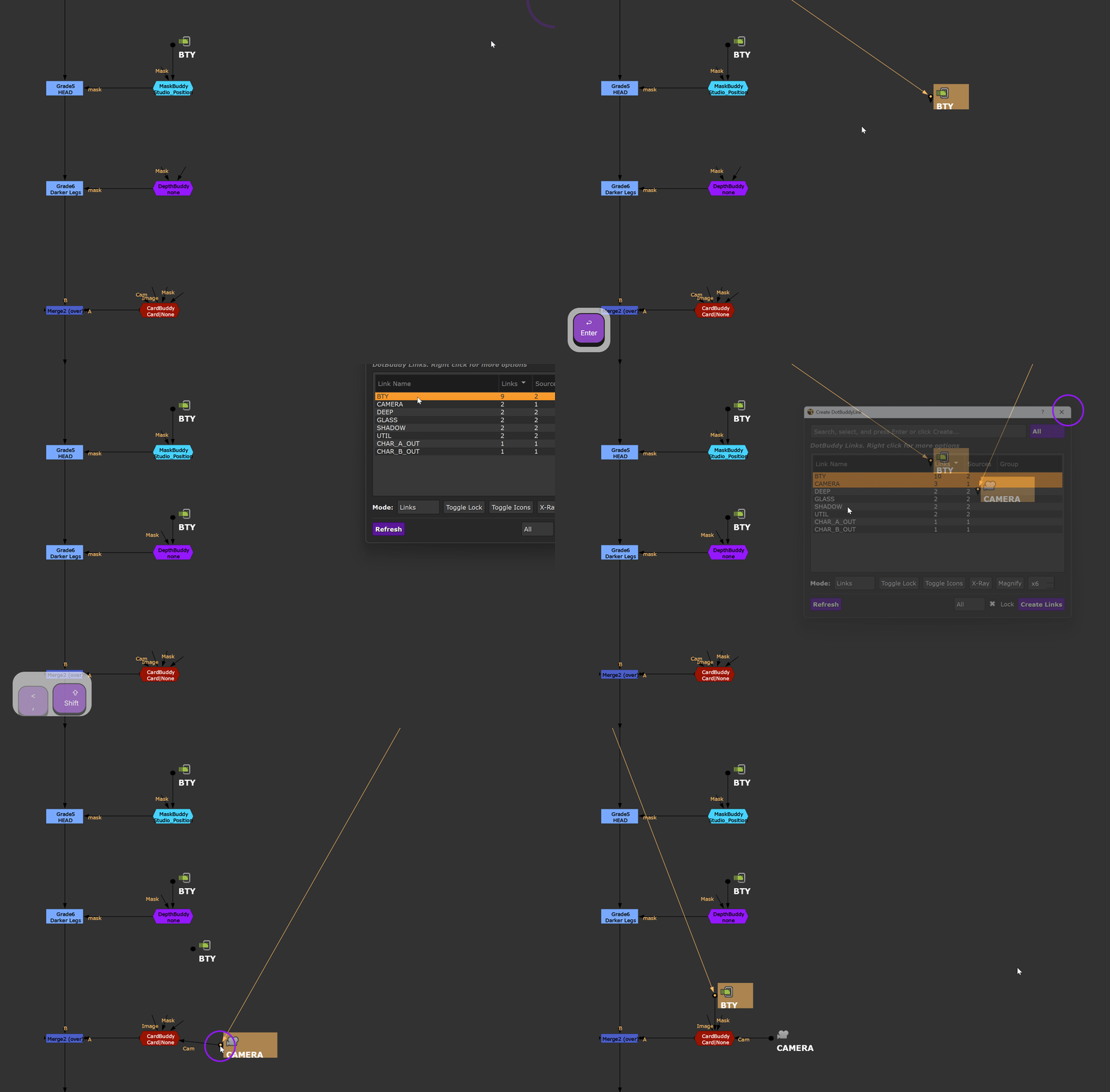
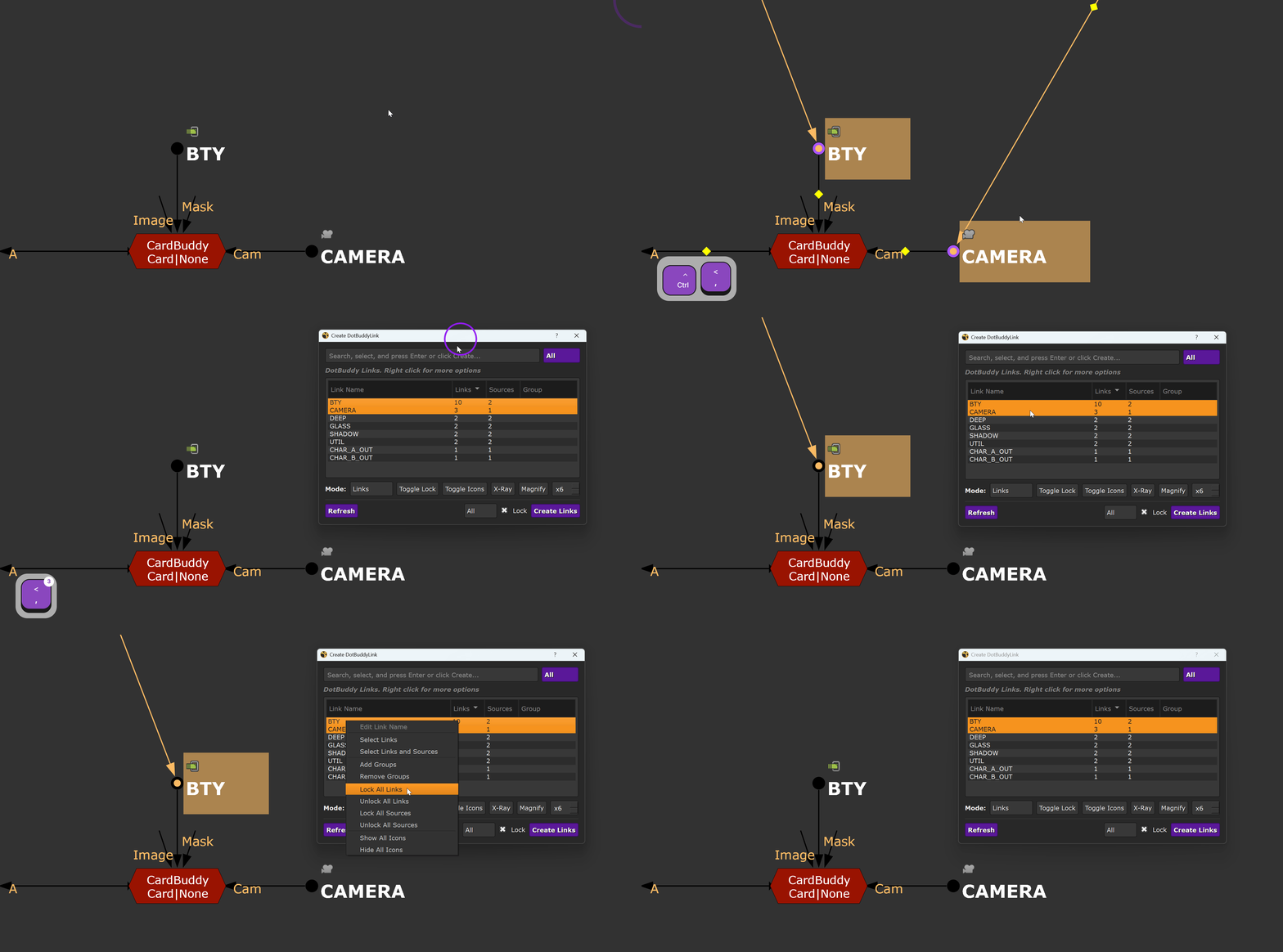
Links can be locked to a specific node, or unlocked and connect to the nearest node with matching link name
X-Ray & Magnify connections for easier visibility
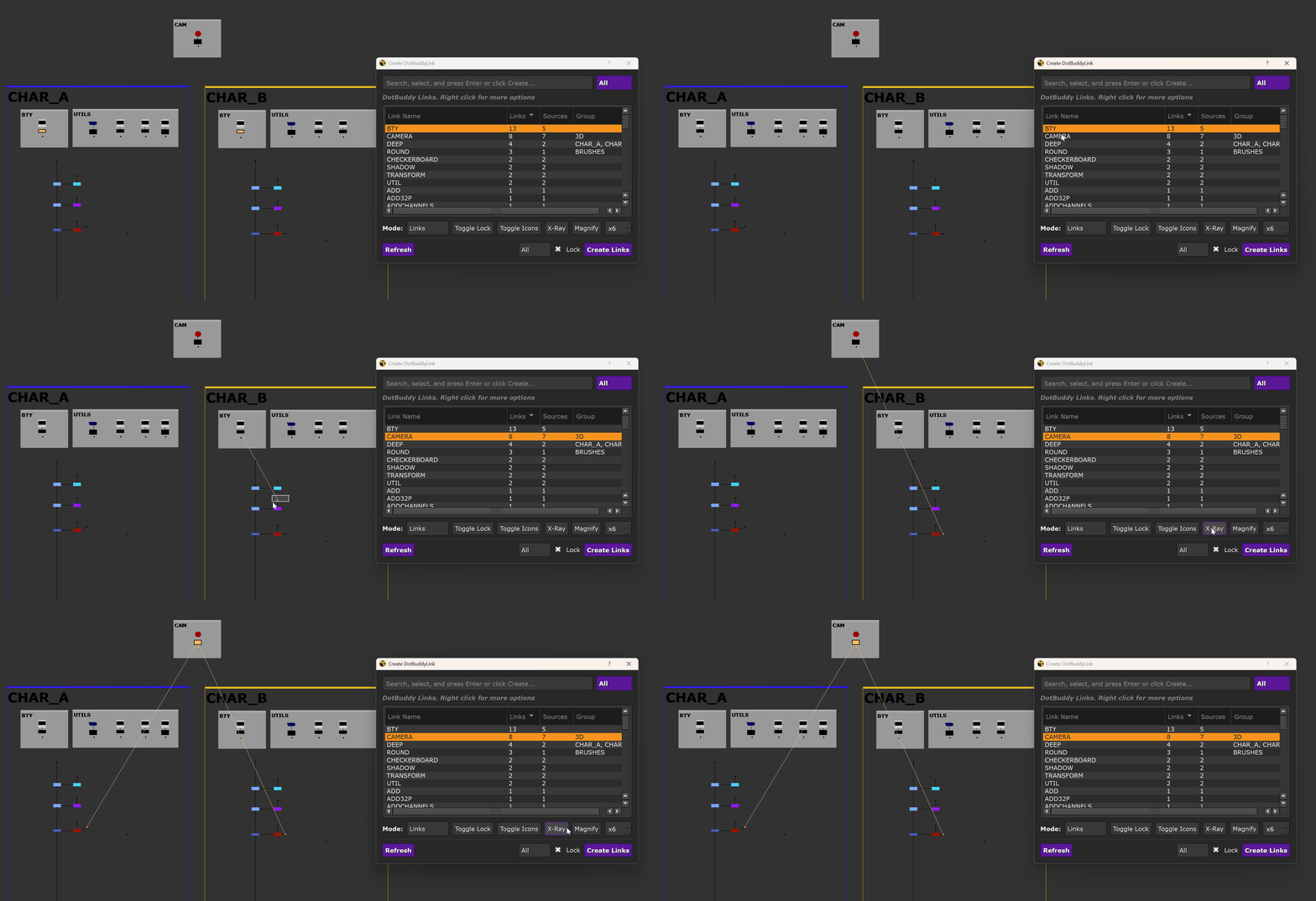
Simplify templates & snippet setups with unified link naming
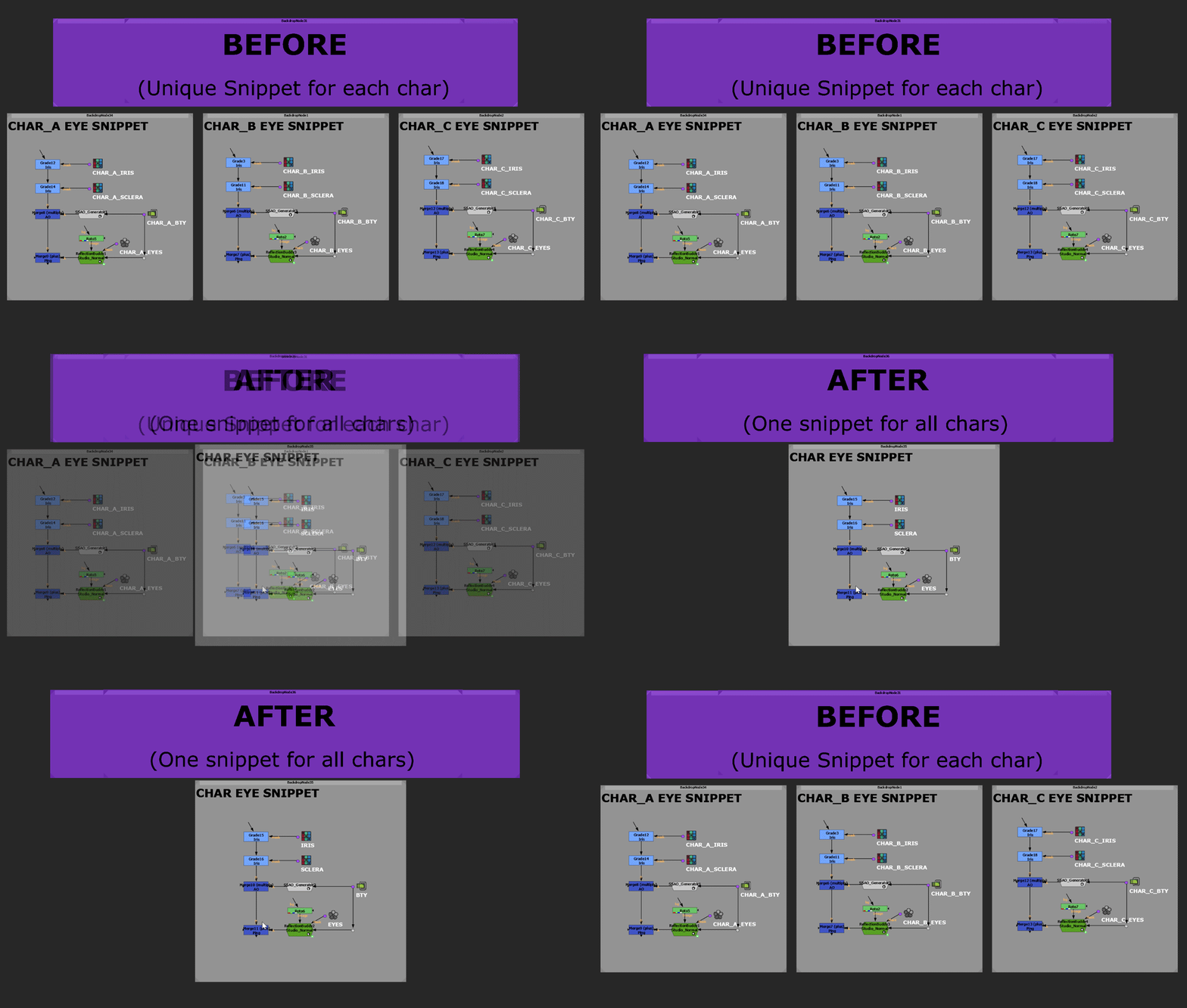
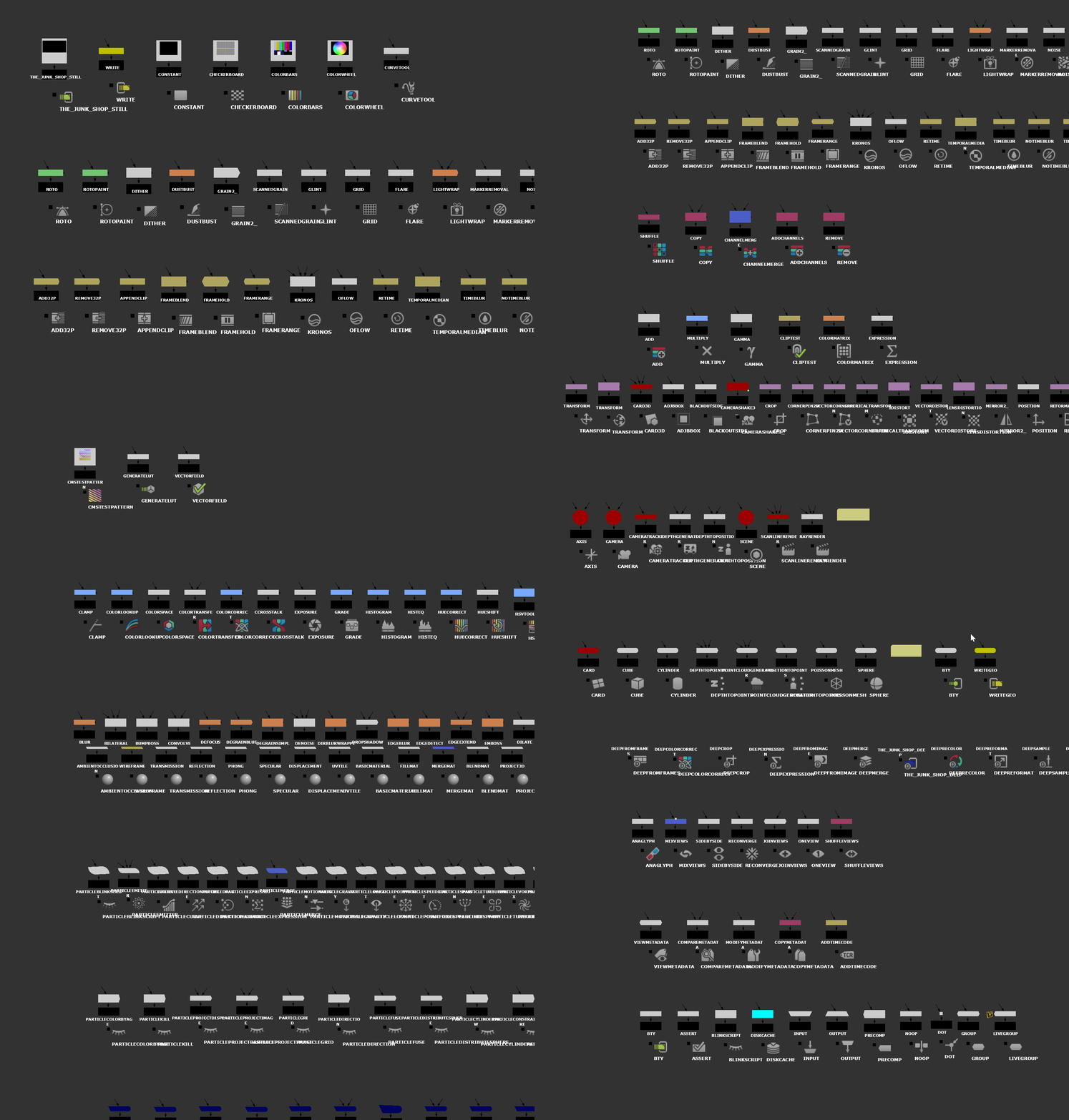
Node class and custom icons for easy identification
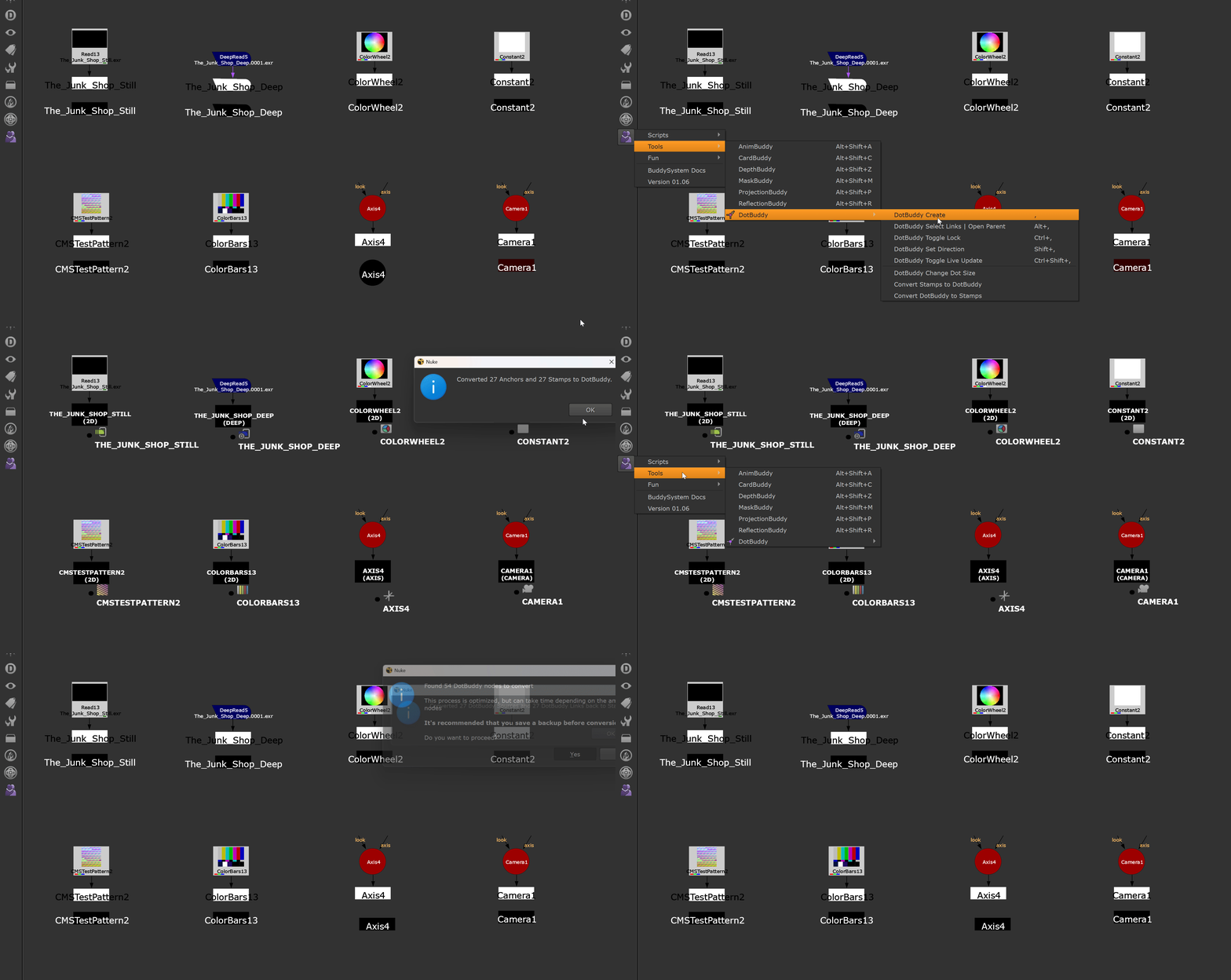
Convert to and from existing Stamps to try it out
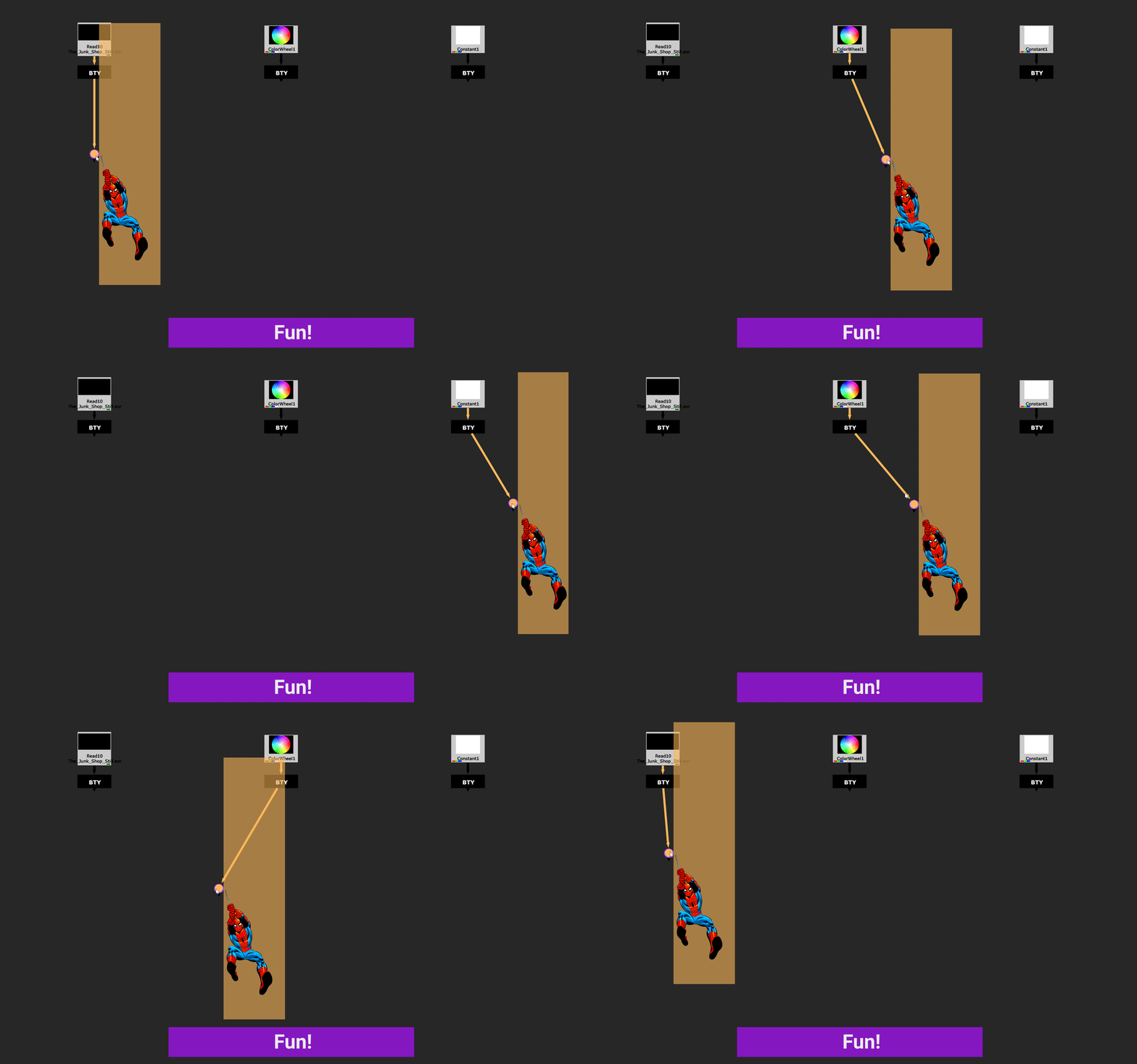
Working with proximity based connections is fun!
Installation
Wait! Before you continue, DotBuddy also comes with the latest version of the BuddySystem, if you prefer :) https://www.nukepedia.com/tools/miscellaneous/buddysystem/
.... but if you just want to install the DotBuddy, you can read the full installation guide here https://www.hiramgifford.com/buddy-system/dotbuddy#setup-and-installation-anchor-link
The quick version is as follows:
1: Locate your .nuke folder. This is typically found in:
Windows: C:\Users\[your_username]\.nuke
Linux: /home/[your_username]/.nuke
2: Download, unzip and copy the entire DotBuddy folder into your .nuke directory
3: Add the following 2 lines to your menu.py file. If you don't have a menu.py file in your .nuke directory, you can create one with any text editor
(You can remove the import nuke line if you already have it)
import nuke
nuke.pluginAddPath('./DotBuddy')
Full Version History
https://www.hiramgifford.com/buddy-system/dotbuddy#development-goals-anchor-link
Latest Version History
v02.01
Added node label fallbacks for source nodes if autolabel isn’t present
Fixed bug where AudioReads and ReadGeos would fallback to BTY link names
Added right click option in Create DotbuddyLinks panel to create locked links for all matching sources
or register to download or rate.
Comments