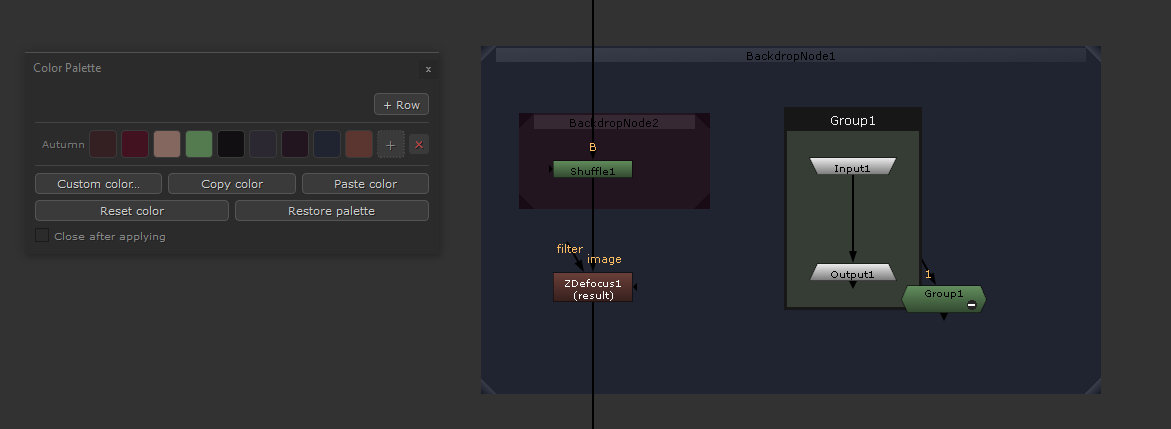
Customizable color palette window for Nuke. You can apply, copy and manage node colors.
Nodes Color Palette
First submitted: 2 July 2026
Author: Thomas ESCALLE
Website: https://www.linkedin.com/in/thomas-escalle/
Compatible Nuke versions: 16.0 or later
Compatibility: Source
A simple window to color Nuke nodes.
Click on the any color to apply it to your selected nodes (works on single nodes, multiple nodes, backdrops and nodes inside a group). The palette is fully customizable: add, rename, edit or delete rows and colors, and your setup is saved automatically between sessions in a json file.
Small demo:
Install
Copy color_palette.py and menu.py into your .nuke folder and restart Nuke.
Open it from Custom > Color Palette or press Ctrl+Shift+P.
Theoricaly compatible with PySide / PySide2 / PySide6 (Nuke 10 to 16+, only tested on 16).
or register to download or rate.
Comments