I built a one-click installer that connects Foundry Nuke to Claude AI using the Model Context Protocol (MCP), based on dughogan's nuke_mcp project.
What it does:
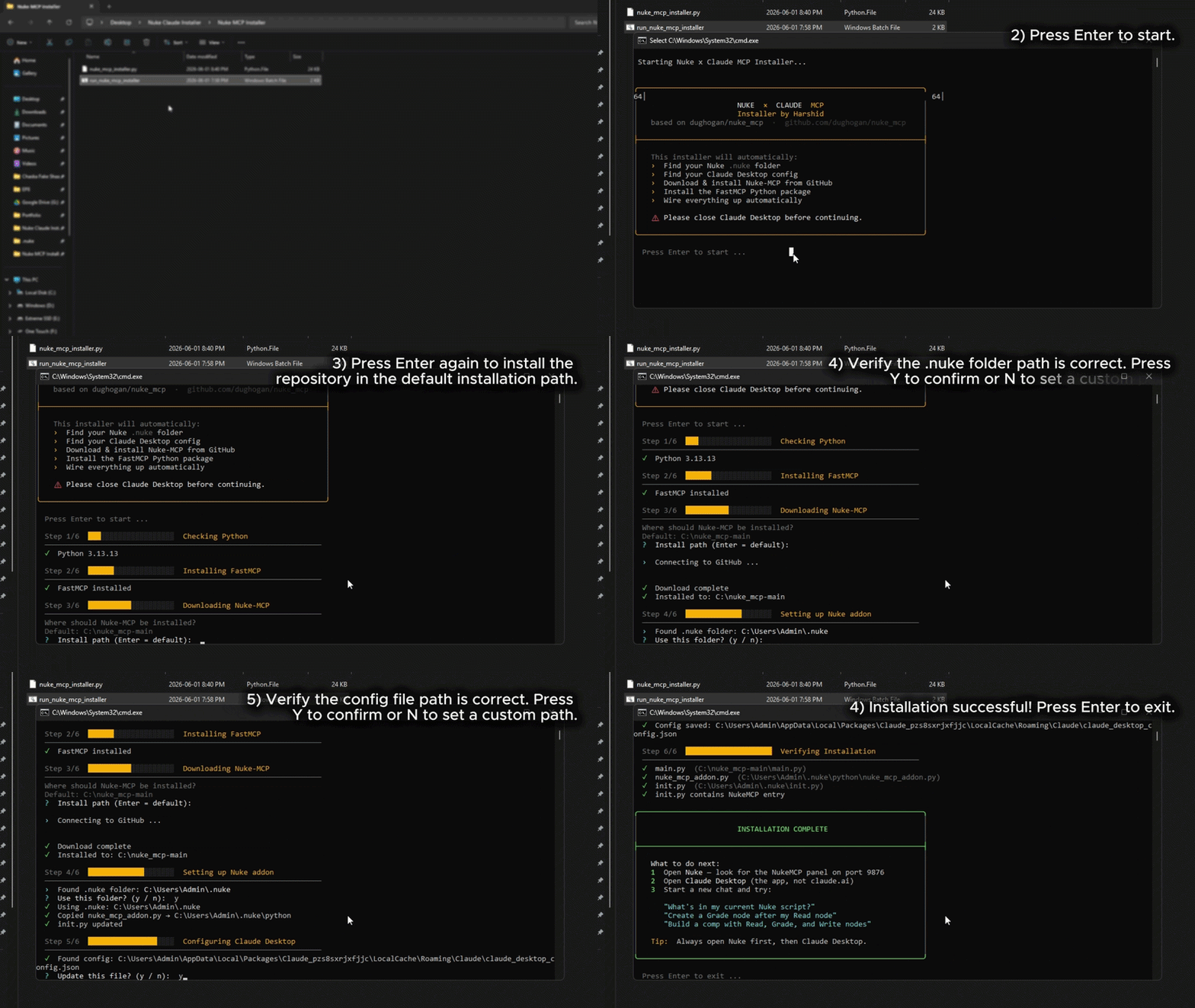
You double-click a .bat file, it runs as Administrator, and automatically handles everything — no manual config, no digging through AppData folders.
Finds your .nuke folder wherever it lives on your machine
Finds your Claude Desktop config automatically
Downloads and installs Nuke-MCP from GitHub
Installs the FastMCP Python package
Writes a safe init.py entry with error handling so a bad load never breaks Nuke startup
Wires everything up so Claude can talk to Nuke on port 9876
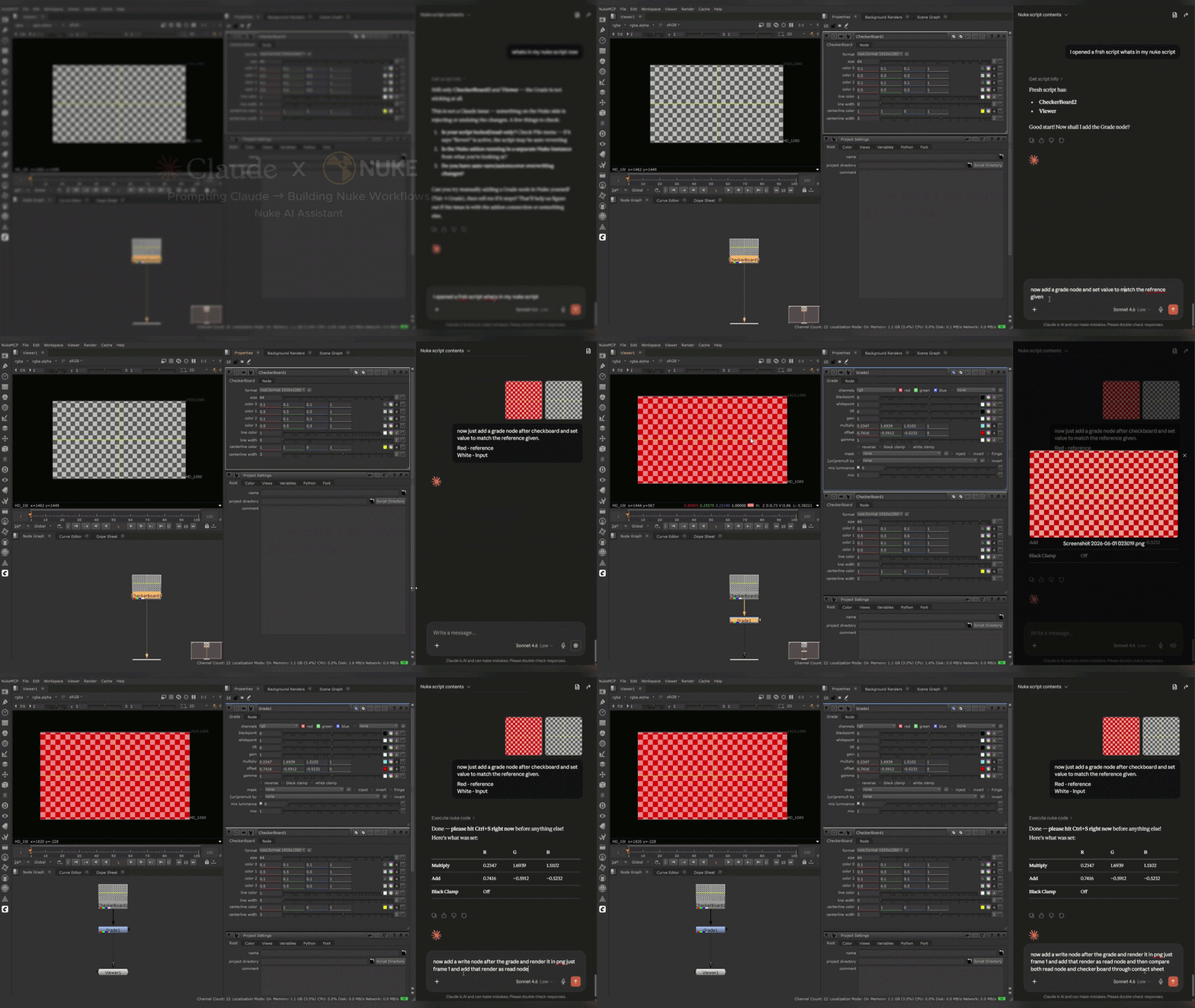
Once set up, you open Nuke, then open Claude Desktop, and you can just talk to your comp - "What nodes are in my script?", "Create a Grade after my Read node", "Build me a greenscreen keying pipeline" - and Claude does it live inside Nuke.
Fixes included over the original setup:
Safe UTF-8 encoding on init.py so Windows locales don't break it
try/except around the addon import so Nuke never hard-fails on startup
No Unicode characters in comments that could cause plugin errors
Requirements: Windows, Python 3.7+, Nuke (any recent version), Claude Desktop app
Credits: Core MCP server by dughogan — I built the installer on top.
Comments