A lightweight drawing / sketch overlay for the Foundry Nuke Viewer — annotate directly over your comp for reviews, notes and quick explanations, without adding any node to your script.
LiveDraw
First submitted: 29 July 2026
Updated: 29 September 2026
Author: Gabin vidal
Website: https://gabinvidal.com
Compatible Nuke versions: 13.0 or later
Compatibility: All, Source
LiveDraw — sketch & snapshot overlay for the Nuke Viewer
Annotate directly over your comp for reviews, notes and quick explanations — no node added to your script, ever.
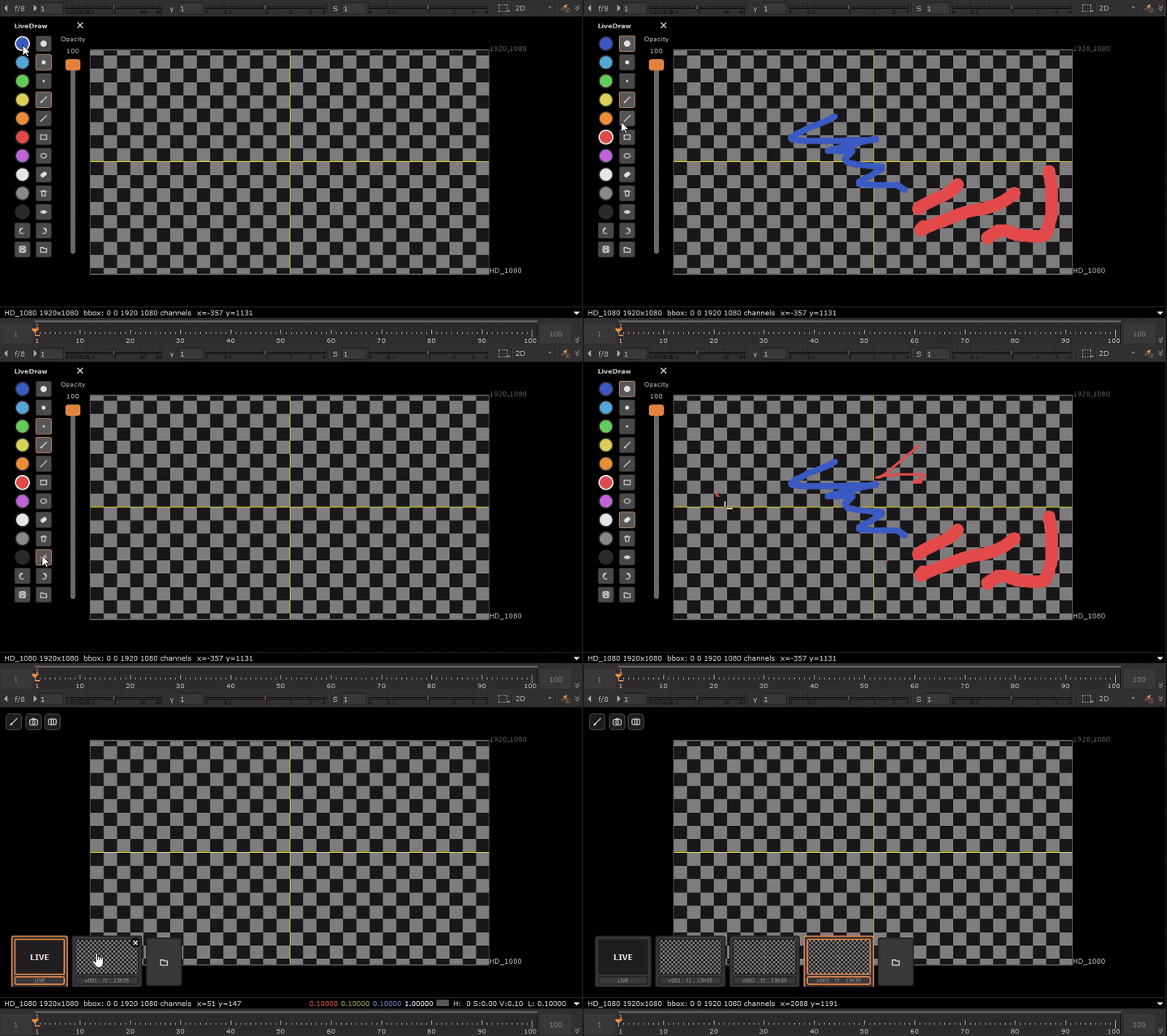
LiveDraw draws straight over the Viewer image (only the Viewer's pan/zoom is captured; Node Graph, Properties and timeline stay fully usable). Pen, line, rectangle, ellipse and eraser tools, 10 colors, 3 brush sizes, global opacity, full undo/redo, and a versioned save that exports both the flattened Viewer and a transparent PNG of your strokes only. Your drawing auto-persists between sessions — no manual save needed. Everything is driven from a single floating pen button pinned to the Viewer corner (or the Shift+D shortcut) — no menu clutter in Nuke's top bar.
New in v2 — LiveSnap (optional add-on)
LiveSnap is a visual progress journal for the Viewer: capture, version and compare what the Viewer shows over time. Click the camera button (or Shift+S) to snapshot the current frame, then browse your captures in a filmstrip gallery and compare any of them against the live Viewer — same pan/zoom, so comparisons stay aligned at any zoom level. Purely image-based: no .nk snapshot, no comp restore, no node ever touches your script. Installs as its own button right next to LiveDraw's, and works standalone if you don't want LiveDraw.
Requirements
Nuke / NukeX, PySide6 (Nuke ≥ 15) or PySide2 (Nuke < 15) — tested on Nuke 16 and 17. Windows, macOS and Linux.
Install
Drop the LiveDraw folder (and LiveSnap, if wanted) into your Nuke user folder, add the provided menu.py block to your ~/.nuke/menu.py, restart Nuke. Full instructions in the included README.
License: MIT.
MIT License — see LICENSE: https://github.com/gabinvidal/LiveDraw
or register to download or rate.
Comments