NK_NukeCodeEditor

# Changelog

## 2.0.0 - 1 Oct 2026

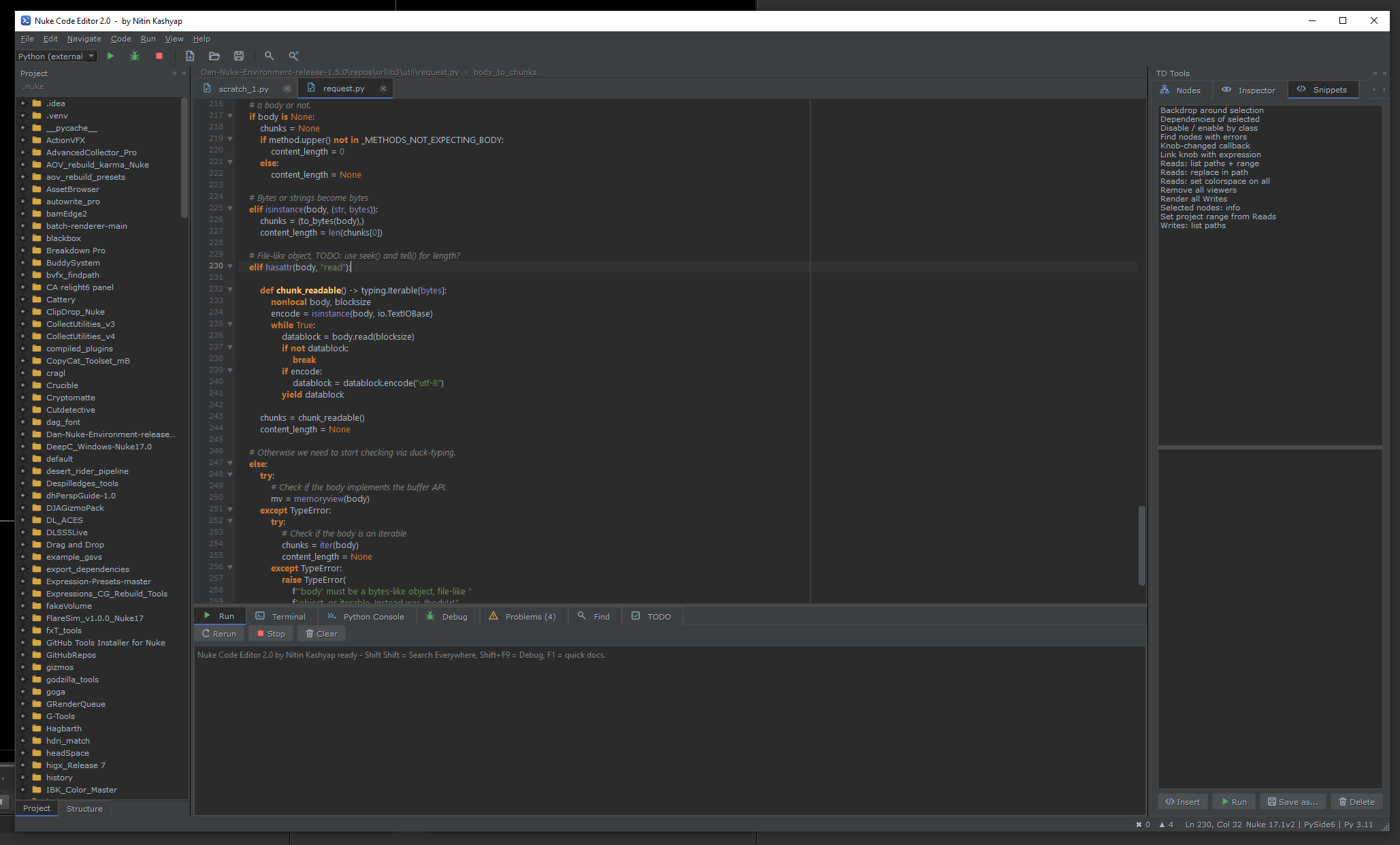
  1. - Full rewrite as a PyCharm-style IDE for Nuke (PySide2 + PySide6, single file)

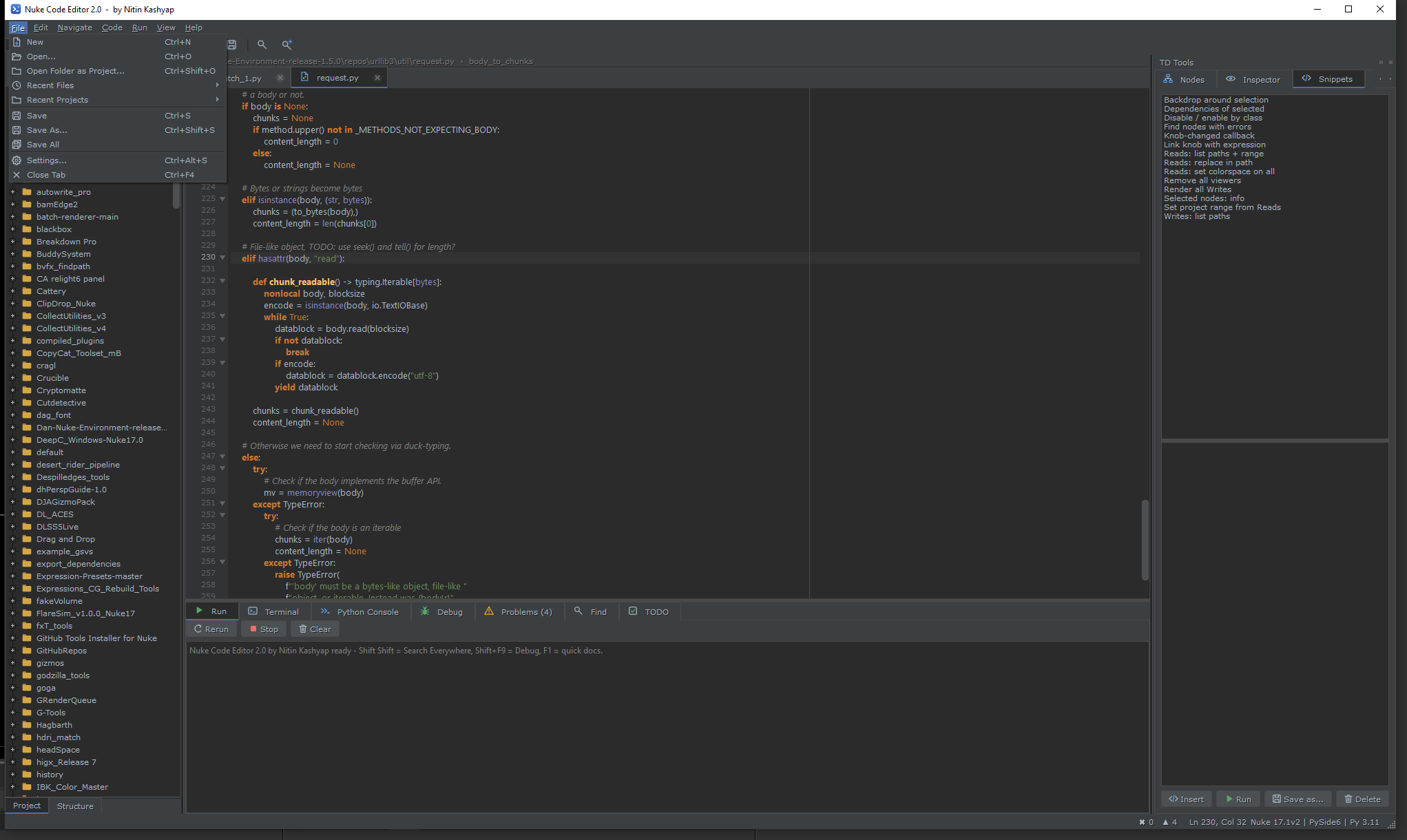
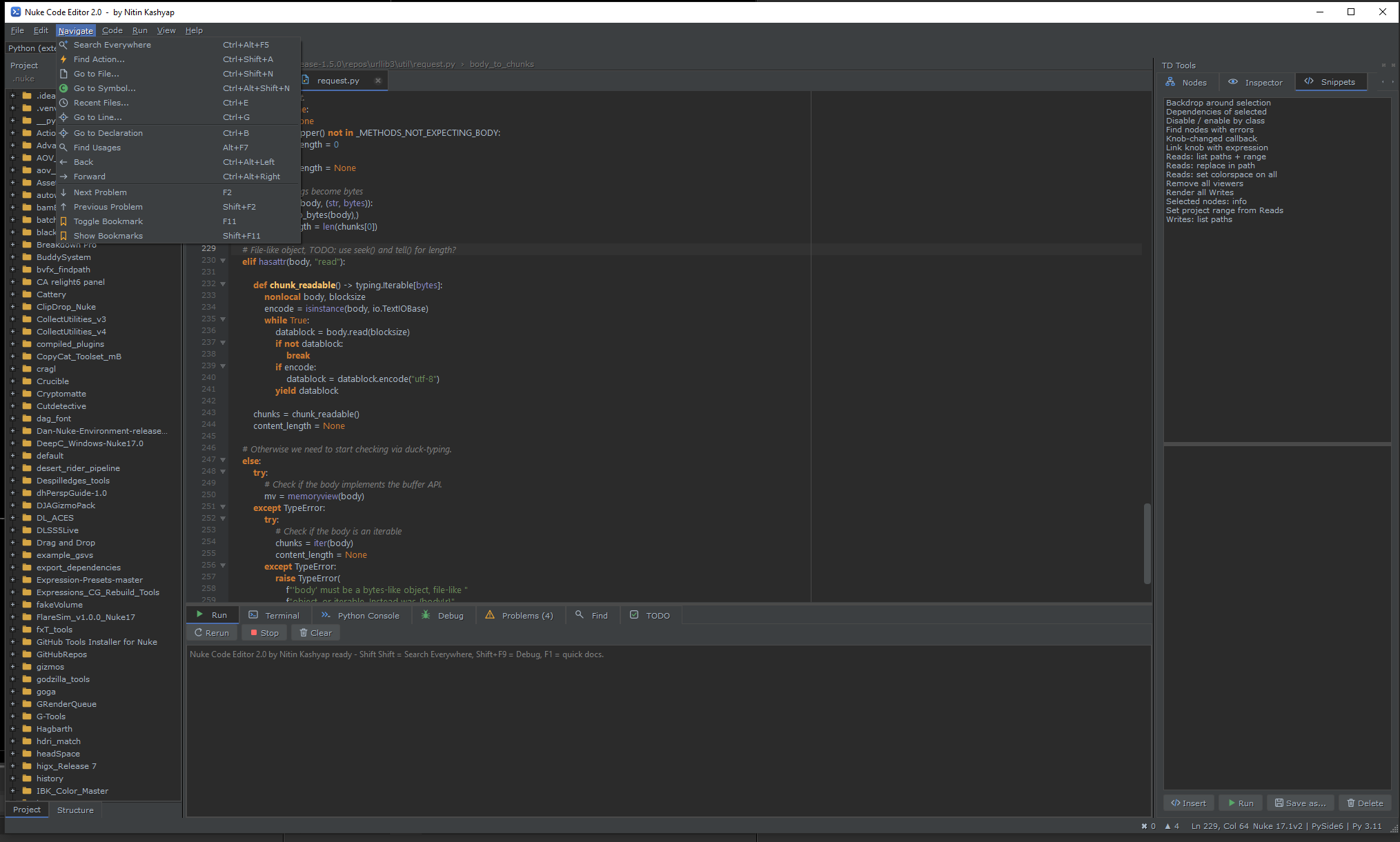
  2. - Editor, inspections, completion, navigation, refactoring, search

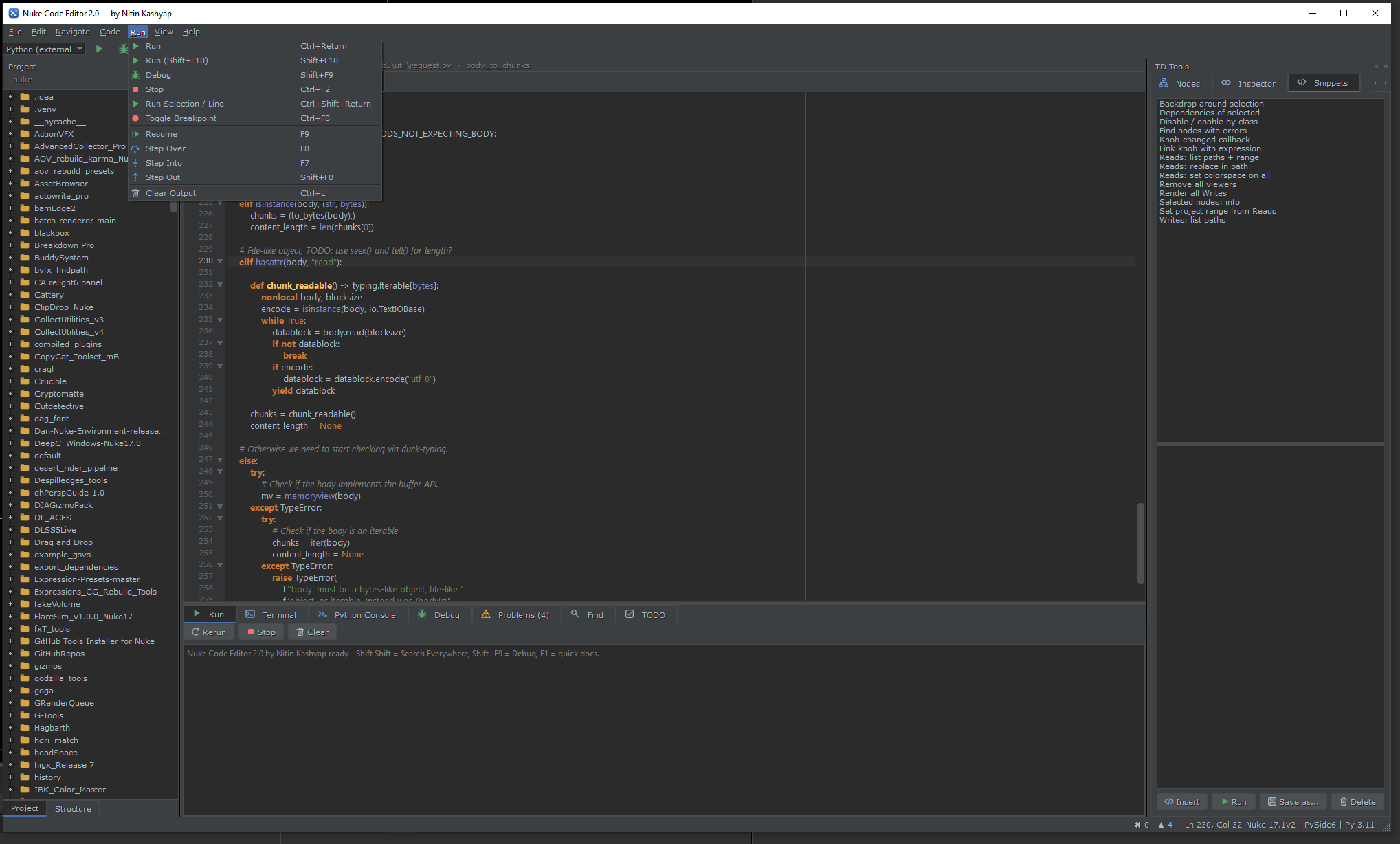
  3. - bdb-based debugger running inside Nuke

  4. - Run inside Nuke / external Python / `nuke -t`; Python Console, Terminal, TODO panels

  5. - TD Tools dock: Nodes, Inspector, Snippets, Utils

  6. - Session restore, settings, dockable panel

First submitted: 2 October 2026

Author: Nitin Kashyap

Website: https://www.linkedin.com/in/nitin-kashyap-8541213a6?

Compatible Nuke versions: 17.0 or later

Compatibility: Linux, Mac, Windows

NUKE CODE EDITOR 2.0.0

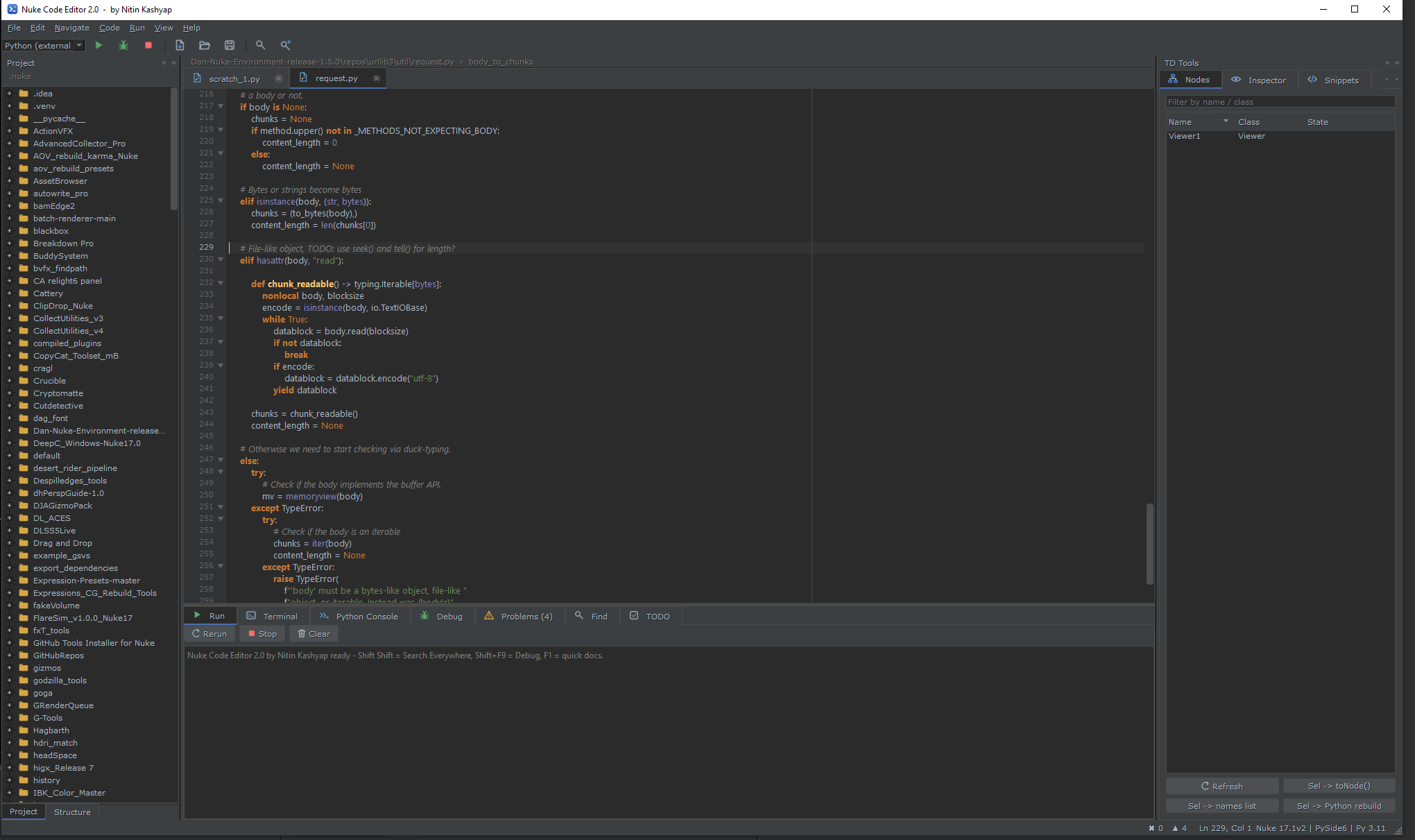
  • A PyCharm-style Python IDE for Foundry Nuke (PySide2 + PySide6)

  • Author: Nitin Kashyap Build: 1 Oct 2026

  • FEATURES

  • - Syntax highlighting (Darcula / Light), folding, bracket matching, auto-pairs, live templates

  • - Inspections: syntax errors, unresolved references, unused imports/variables, bare except, long lines

  • - Completion and quick docs against live Nuke objects (jedi optional)

  • - Real debugger: breakpoints, step over/into/out, call stack, variables, evaluate expression

  • - Run inside Nuke (one undo step), external Python, or nuke -t

  • - Python Console, Terminal, Problems, Find, TODO panels

  • - TD Tools dock: node browser, knob inspector, snippets, scene utilities, selection -> Python rebuild

  • - Search Everywhere (double Shift), go to declaration, find usages, rename, reformat, optimize imports

  • - Session restore (tabs, unsaved text, breakpoints, layout)

  • REQUIREMENTS

  • Nuke 13/14/15 (PySide2) and Nuke 16+ (PySide6). No extra packages needed.

  • Optional: jedi, black, autopep8.

  • INSTALL

  • See INSTALL.txt. Full manual: README.pdf.

  • USE

  • Menu: NK_Nuke Code Editor > Nuke Code Editor or Alt+E

  • Docked: NK_Nuke Code Editor > Nuke Code Editor (panel)

INSTALL - Nuke Code Editor 2.0.0

  • 1. Find your Nuke user folder:

  • Windows: C:\Users\<you>\.nuke

  • Linux/macOS: ~/.nuke

  • 2. Copy these into it:

  • init.py

  • menu.py

  • td_tools\ (contains nuke_code_editor.py and NukeCodeEditor.png)

  • Result:

  • .nuke\init.py

  • .nuke\menu.py

  • .nuke\td_tools\nuke_code_editor.py

  • .nuke\td_tools\NukeCodeEditor.png

  • If you ALREADY have init.py / menu.py: do not overwrite. Open ours and paste

  • everything below the docstring at the end of yours.

  • 3. Restart Nuke. The menu "NK_Nuke Code Editor" appears. Open with Alt+E.

  • TROUBLESHOOTING

  • - No menu: check the Script Editor for lines starting with [NukeCodeEditor].

  • - ImportError nuke_code_editor: td_tools missing or init.py not loaded. Add:

  • nuke.pluginAddPath('/full/path/to/td_tools')

  • UNINSTALL

  • Delete td_tools\nuke_code_editor.py, remove the blocks from init.py / menu.py,

  • optionally delete .nuke\NukeCodeEditor (saved settings).

MIT License

Copyright (c) 2026 Nitin Kashyap

Permission is hereby granted, free of charge, to any person obtaining a copy
of this software and associated documentation files (the "Software"), to deal
in the Software without restriction, including without limitation the rights
to use, copy, modify, merge, publish, distribute, sublicense, and/or sell
copies of the Software, and to permit persons to whom the Software is
furnished to do so, subject to the following conditions:

The above copyright notice and this permission notice shall be included in all
copies or substantial portions of the Software.

THE SOFTWARE IS PROVIDED "AS IS", WITHOUT WARRANTY OF ANY KIND, EXPRESS OR
IMPLIED, INCLUDING BUT NOT LIMITED TO THE WARRANTIES OF MERCHANTABILITY,
FITNESS FOR A PARTICULAR PURPOSE AND NONINFRINGEMENT. IN NO EVENT SHALL THE
AUTHORS OR COPYRIGHT HOLDERS BE LIABLE FOR ANY CLAIM, DAMAGES OR OTHER
LIABILITY, WHETHER IN AN ACTION OF CONTRACT, TORT OR OTHERWISE, ARISING FROM,
OUT OF OR IN CONNECTION WITH THE SOFTWARE OR THE USE OR OTHER DEALINGS IN THE
SOFTWARE.
or register to download or rate.

Comments

or register to join the conversation.

Download Verification